
- Introduction to SureContact Dashboard
- How to Install and Connect the SureContact WordPress Plugin
- What Do Contact Fields Mean in the SureContact WordPress Plugin
- How to Invite Members to a Workspace in SureContact
- How to Switch Organizations in SureContact
- Workspace-Level Contact Allocation in SureContact
- Workspace-Level Timezone Settings in SureContact
- How to Add a Custom Tracking Domain in a Workspace in SureContact
Bulk Sync WordPress Users to SureContact
SureContact allows you to seamlessly bulk sync all your existing WordPress users directly into your SureContact workspace. This feature helps you instantly import your current users as contacts and automatically keep future registrations in sync without any manual effort.
This guide explains the complete process to bulk sync WordPress users and enable automatic syncing for new registrations.
Prerequisites
Before starting the bulk sync process, please ensure the following:
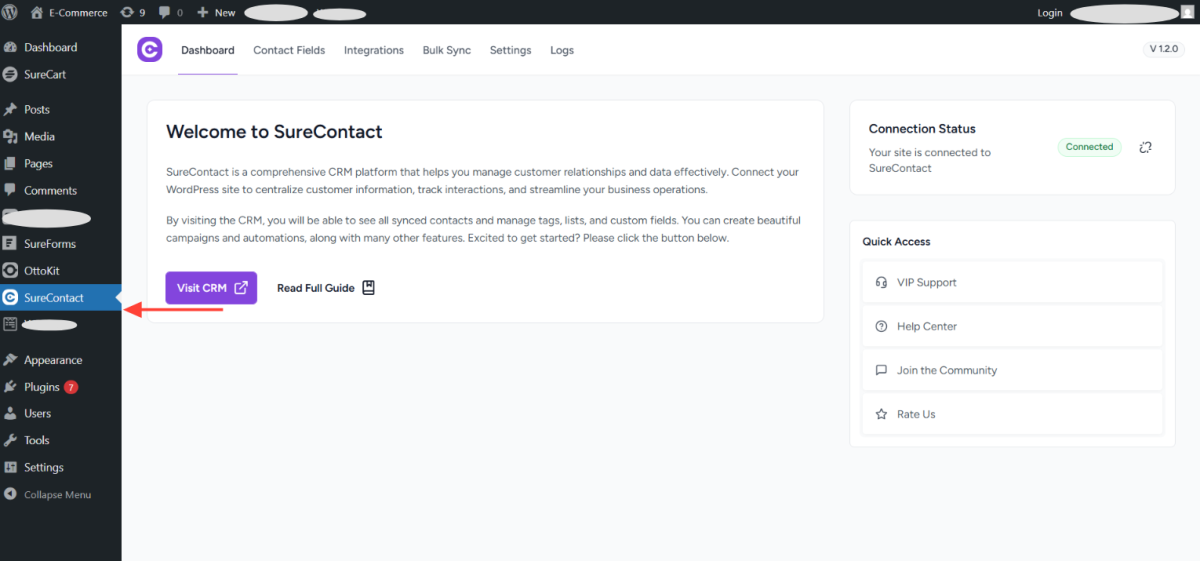
- The SureContact Plugin Must Be Installed on Your WordPress Site
- The SureContact Plugin Must Be Connected to Your SureContact SaaS Account
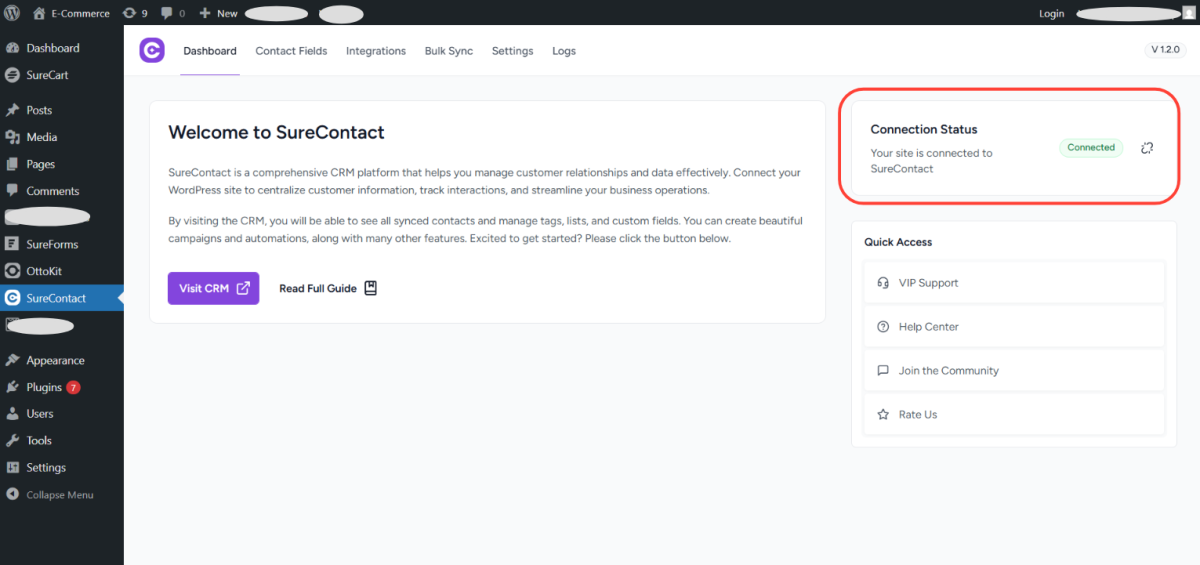
If the plugin is not yet connected, please refer to the documentation:
How to Install and Connect the SureContact Plugin
How to Bulk Sync WordPress Users to SureContact
Follow the steps below to sync all your existing WordPress users:
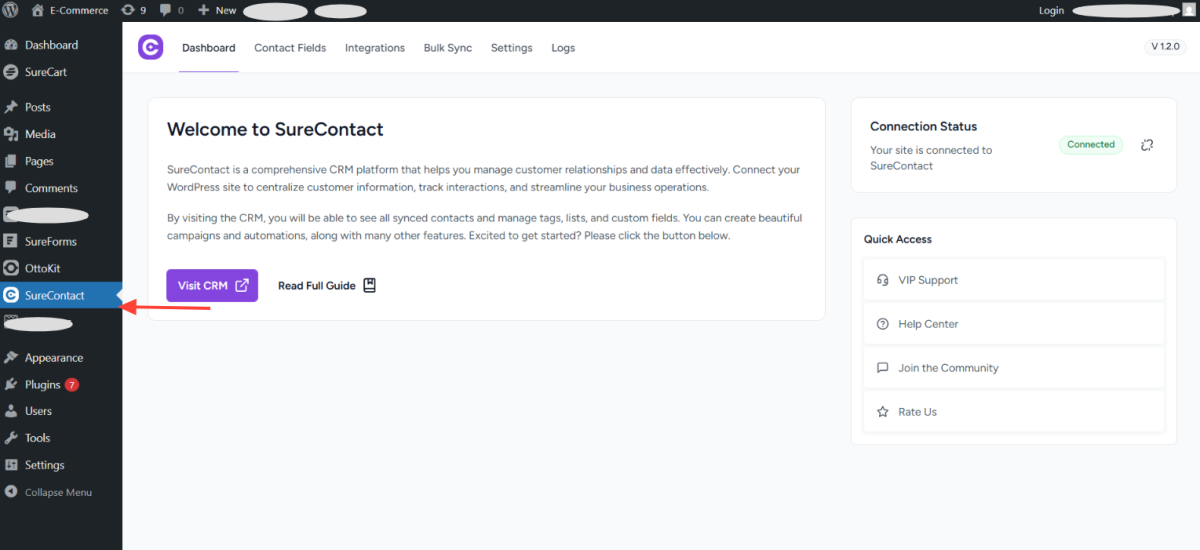
Step 1: Open the SureContact Plugin in WordPress
- Log in to your WordPress Dashboard.
- Navigate to SureContact from the left-hand menu.
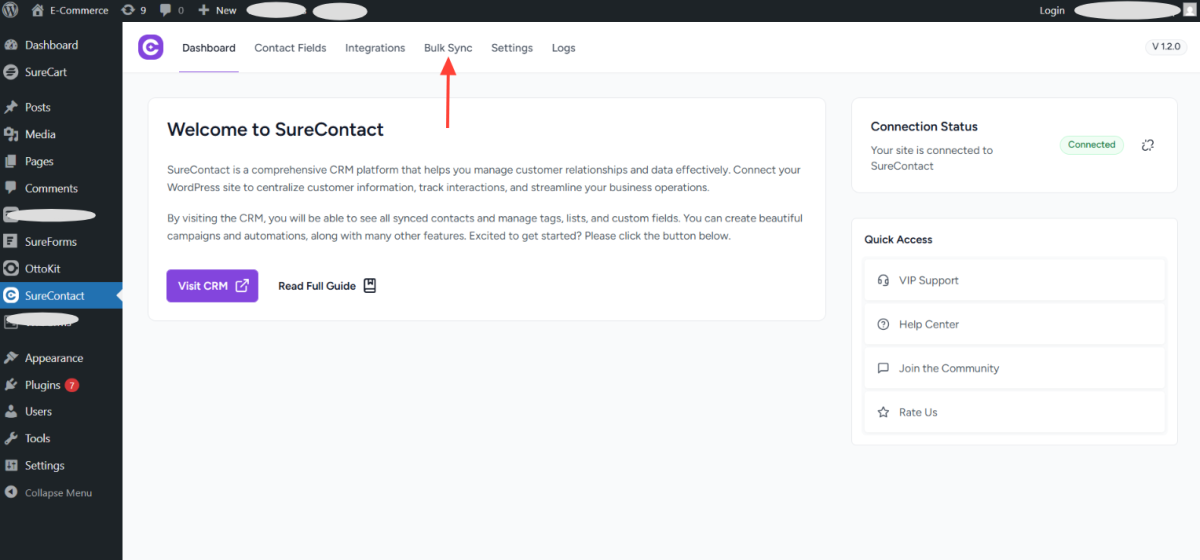
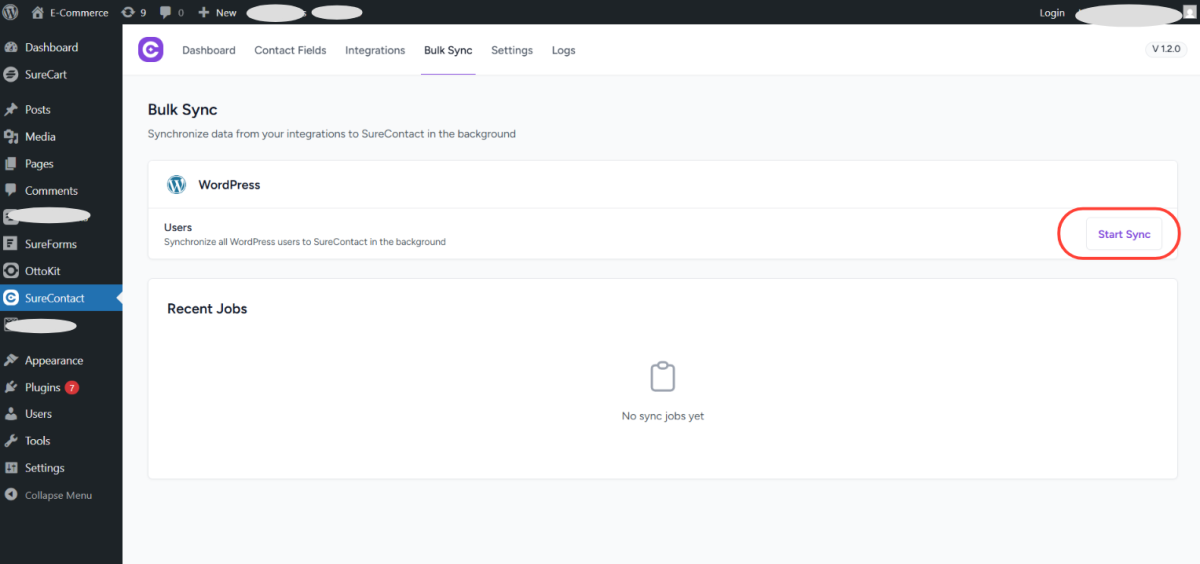
Step 2: Click on Bulk Sync
- Inside the SureContact plugin, click on the Bulk Sync option.
Step 3: Start the WordPress User Sync
- Under the WordPress section, click on Start Sync.
- The sync process will begin immediately.
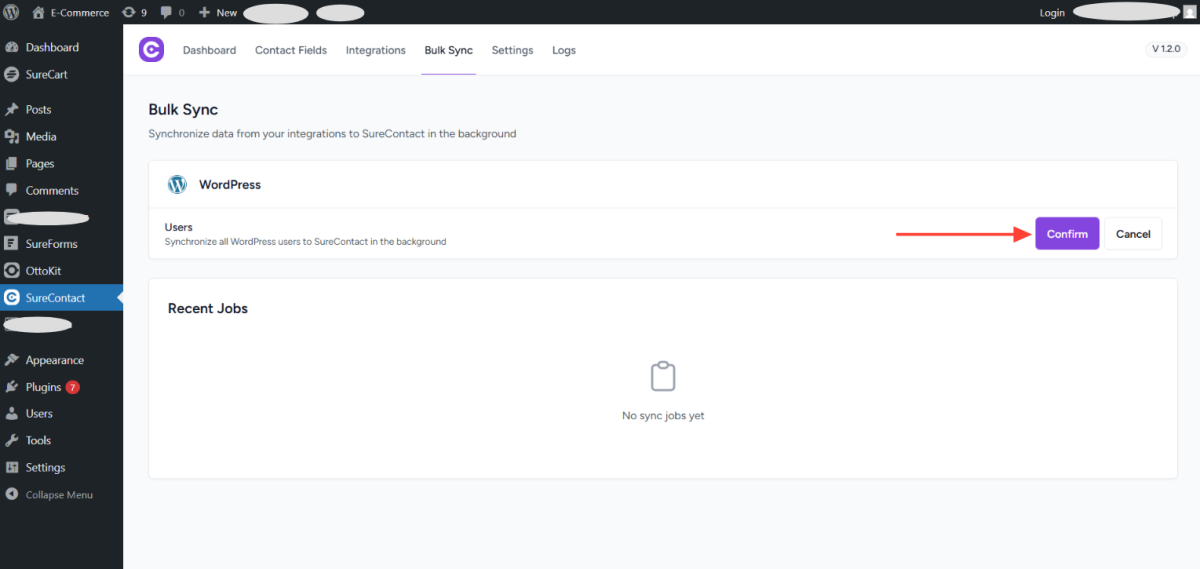
- Click on Confirm
- You will see sync completed popup
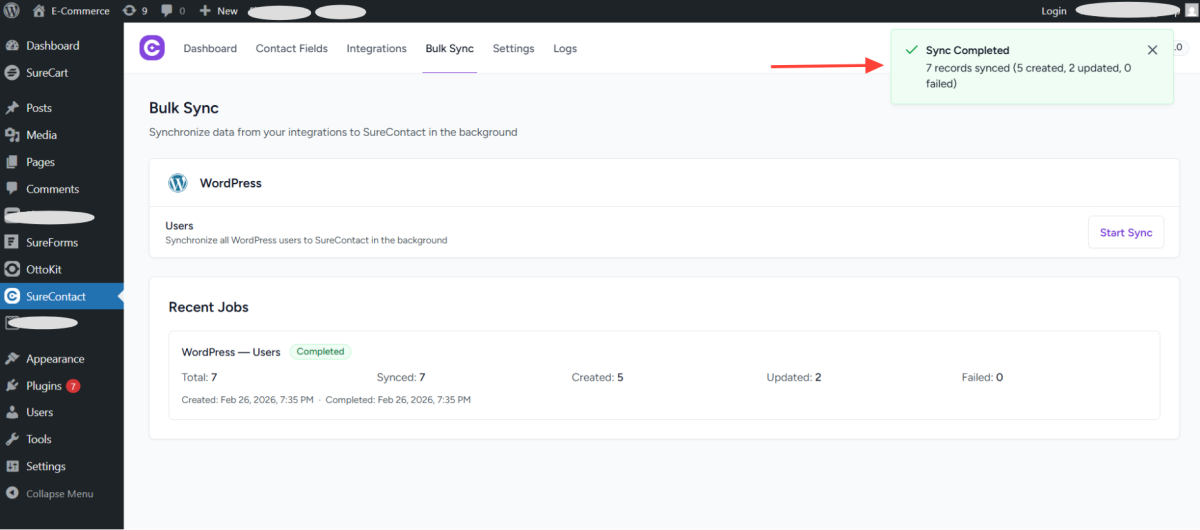
SureContact will now start importing all your existing WordPress users into your SureContact workspace.
Step 4: Verify Contacts in SureContact
- Log in to your SureContact SaaS account.
- Go to the Contacts section.
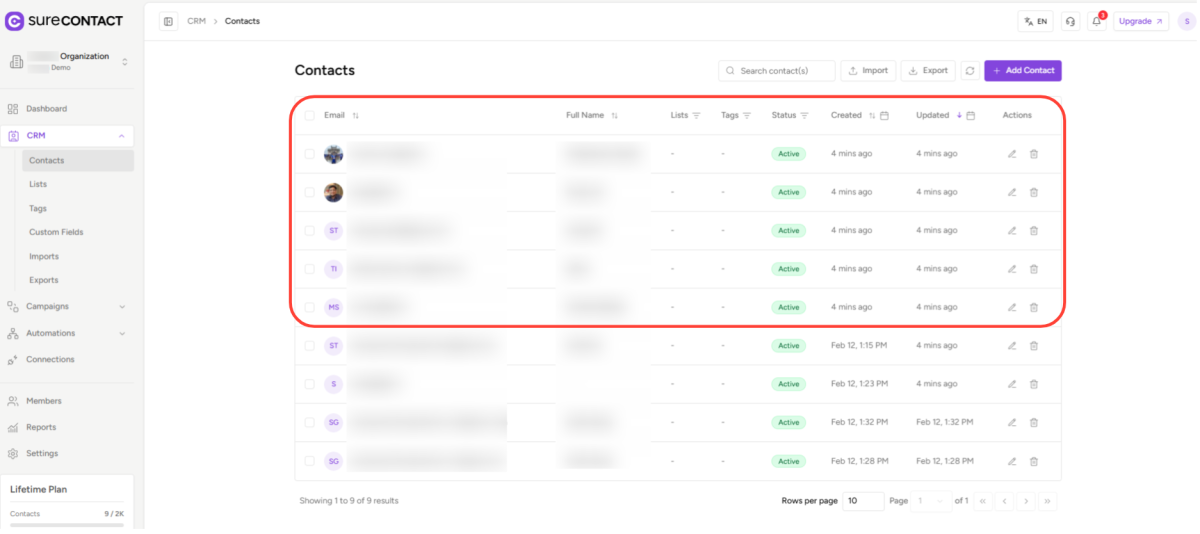
You will see that all your WordPress users have now been added as contacts.
Enable Automatic Sync for New WordPress Users
To ensure that any new users added to your WordPress site are automatically synced with SureContact, follow these additional steps:
Step 5: Open SureContact Settings
- Go back to your WordPress Dashboard.
- Navigate to SureContact → Settings.
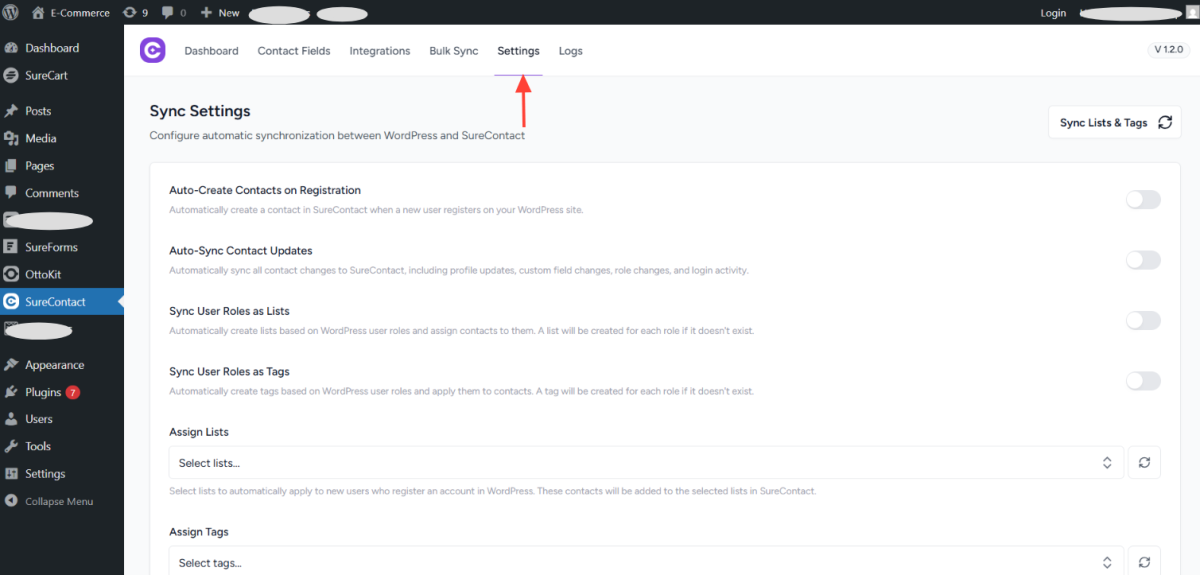
Step 6: Enable Automatic Sync Options
Enable the following toggles:
- Auto-Create Contacts on Registration
- Auto-Sync Contact Updates
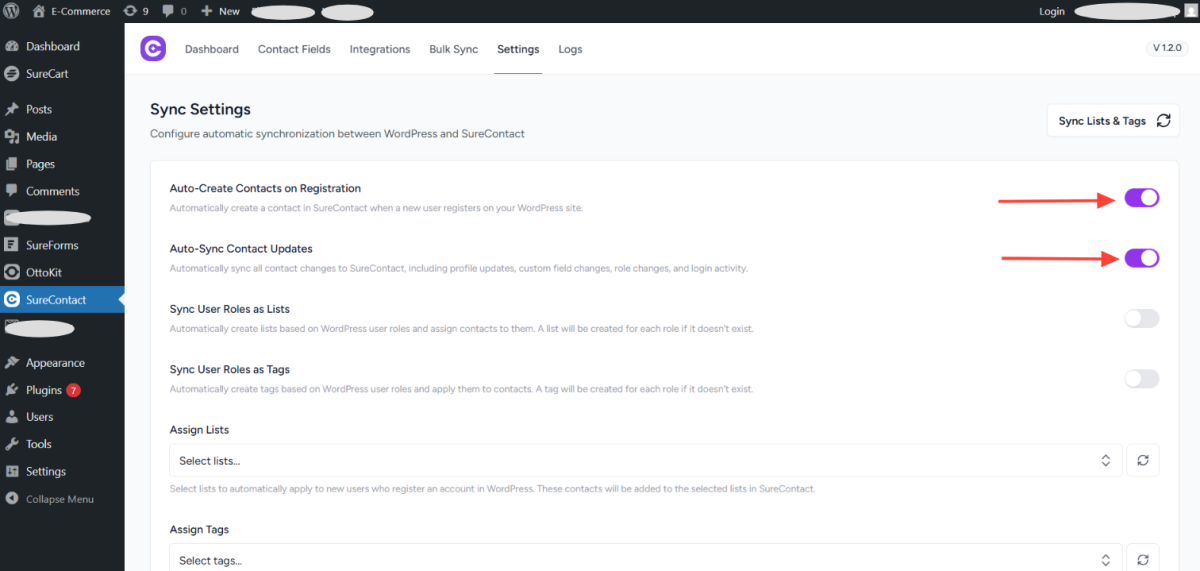
These settings ensure that:
- Any new user who registers on your WordPress site is automatically added to SureContact.
- Any updates made to existing WordPress users are automatically synced to SureContact.
That’s It
You have successfully:
- Bulk synced all existing WordPress users to SureContact.
- Enabled automatic syncing for future registrations and updates.
Your WordPress users and SureContact contacts will now stay fully synchronized.
Need Help?
If you need any assistance, please email [email protected], and our support team will be happy to help you.
We don't respond to the article feedback, we use it to improve our support content.