
- Introduction to SureContact Dashboard
- How to Install and Connect the SureContact WordPress Plugin
- What Do Contact Fields Mean in the SureContact WordPress Plugin
- How to Invite Members to a Workspace in SureContact
- How to Switch Organizations in SureContact
- Workspace-Level Contact Allocation in SureContact
- Workspace-Level Timezone Settings in SureContact
- How to Add a Custom Tracking Domain in a Workspace in SureContact
Workspace-Level Timezone Settings in SureContact
To give you better control and clarity across your account, SureContact now supports workspace-level timezone settings.
You can now assign a dedicated timezone to each workspace. This ensures that all timestamps inside that workspace — including reports, activity logs, campaign statistics, and email data — reflect the correct local time.
This feature is especially helpful when managing multiple regions, global teams, or client accounts operating in different time zones.
How to Set a Timezone for a Specific Workspace
Follow the steps below to configure the timezone for a workspace:
1. Log in to Your SureContact Account
- Go to: https://surecontact.com/
- Sign in to your account.
2. Select the Workspace
- In the top-right corner of the dashboard, select the workspace for which you want to adjust the timezone.
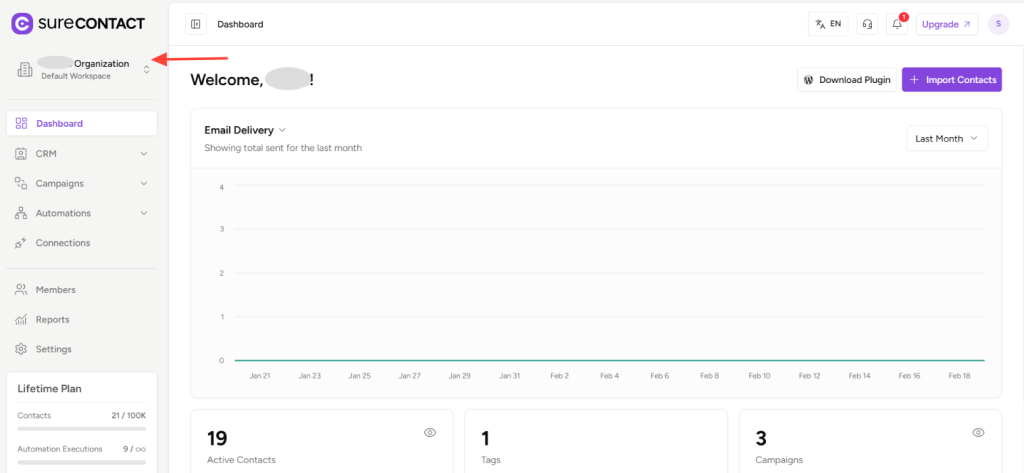
- Make sure you are inside the correct workspace before proceeding.
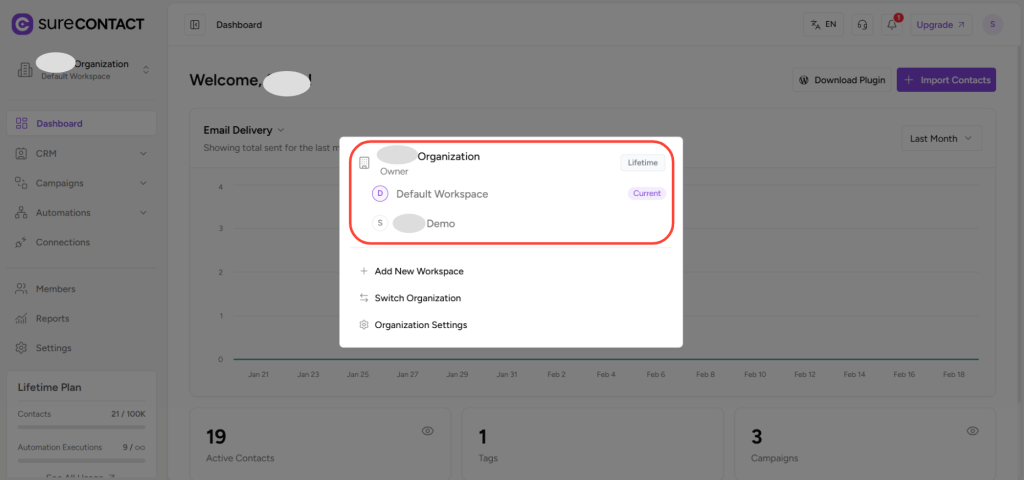
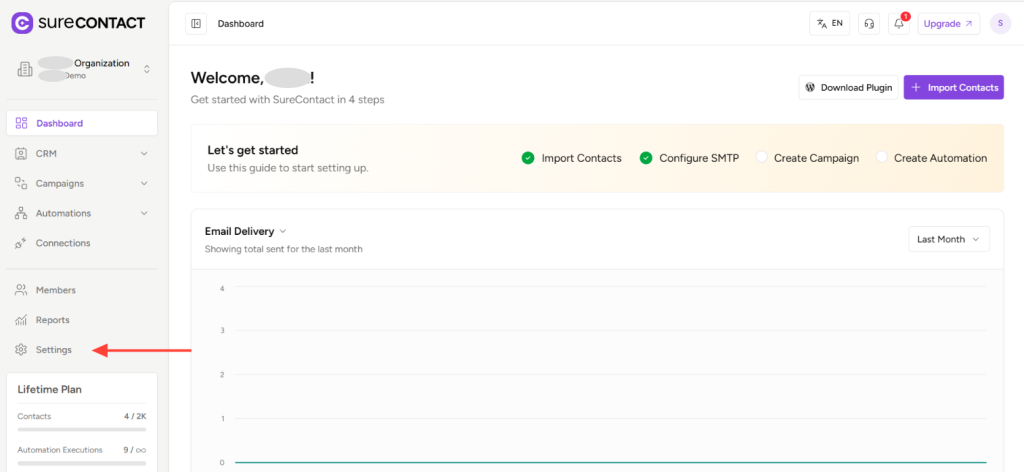
3. Open Settings
- Navigate to Settings within the selected workspace.
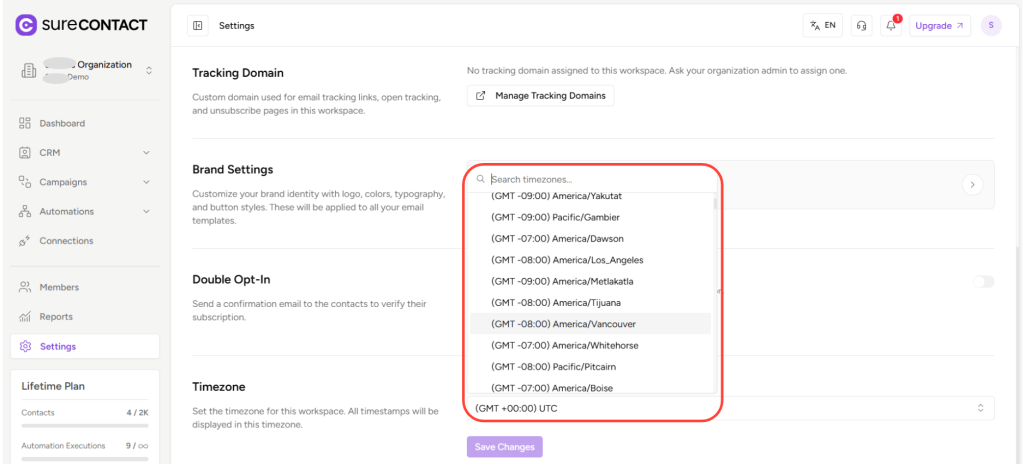
4. Locate the Timezone Option
- Scroll down the Settings page until you find the Timezone option.
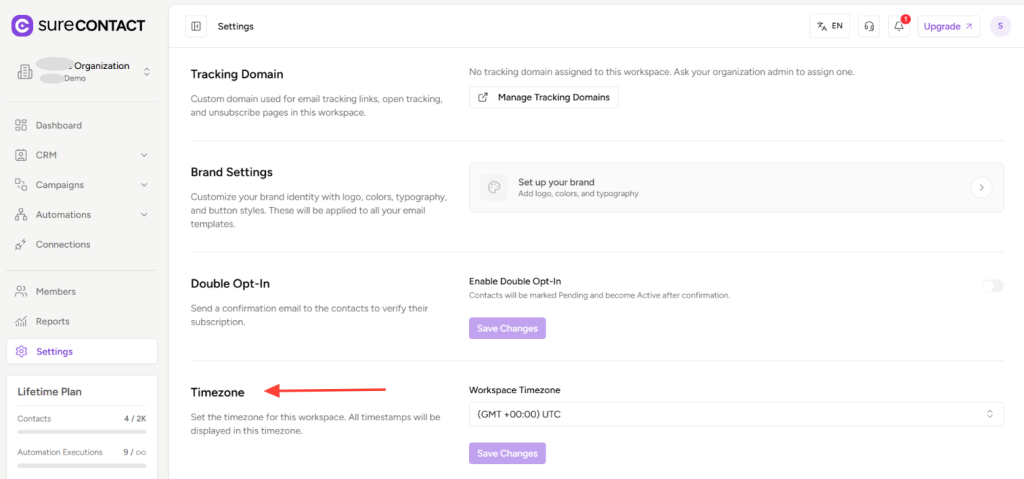
5. Choose the Desired Timezone
- Select the appropriate timezone from the dropdown menu for that workspace.
6. Save Changes
- Click Save Changes to apply the updated timezone.
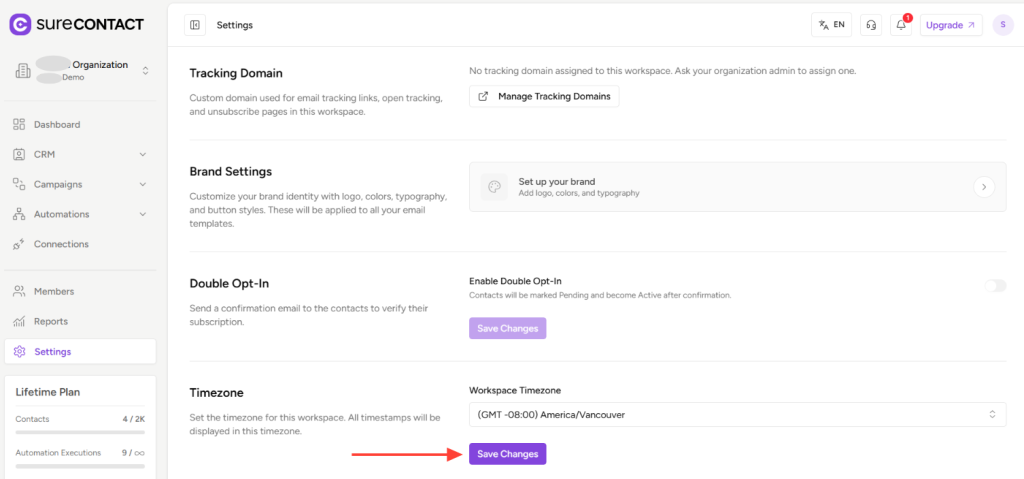
That’s It
The selected workspace will now display all timestamps according to the timezone you set.
You can repeat the same process for other workspaces as needed.
If you need any assistance, feel free to contact our support team at [email protected].
We don't respond to the article feedback, we use it to improve our support content.