Disclosure: I’m the founder of SureContact. I have tried to account for it by being honest about where competitors are the better choice. Read with that in mind.
Most WordPress site owners manage customers across four places: their inbox, WooCommerce, a form plugin, and a spreadsheet from 2022.
That’s not how successful businesses manage customers.
Successful businesses use a CRM, because relationships are the most important currency in business.
I’ve spent over a decade building WordPress products like Astra, SureCart, and SureContact, used by more than two million site owners. I’ve also spoken to thousands of store owners and agencies doing exactly this.
I tested every CRM on a live WordPress site with WooCommerce, real contacts, automations, and campaigns. If something is my opinion, I’ll say so.
Quick answer: Best WordPress CRM by use case:
Best for WordPress-native funnel automation (technical users): Groundhogg
Best for WooCommerce stores, email marketing, and automation: SureContact
Best for data ownership and self-hosting: FluentCRM
Best for teams already using HubSpot for sales: HubSpot for WordPress
Best for cart recovery on WooCommerce: FunnelKit Automations
Best for freelancers who need invoicing + basic CRM: JetpackCRM
Email marketing still delivers around $36 for every $1 spent. That only works if your emails land and your follow-ups run on time. A proper CRM makes that happen.
The best WordPress CRM isn’t the one with the most features. It’s the one that runs fast, connects instantly, and sends the right message at the right moment.
That’s the bar we’re holding every CRM to in this guide.
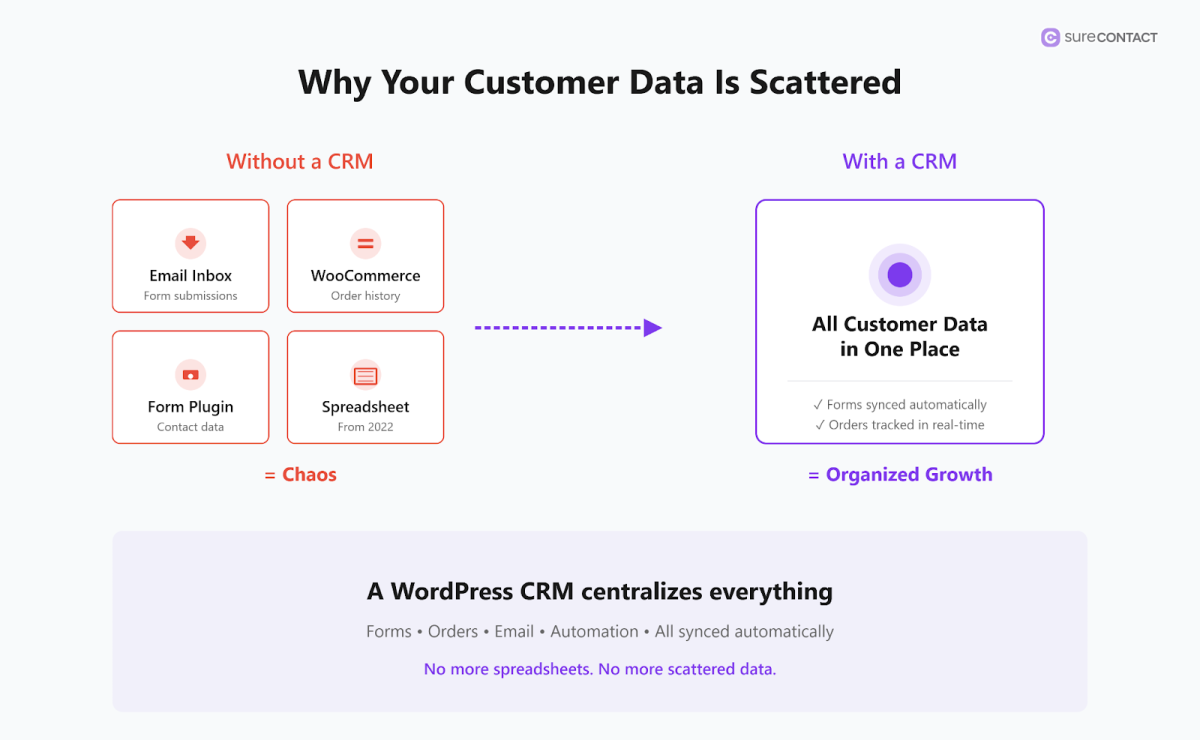
Why Your Customer Data Is Probably Scattered Right Now
A WordPress CRM connects to your site or store and centralizes your customer data. (WordPress itself is not a CRM and if you’re wondering about the difference, this post covers it.)
It pulls in contacts from forms, orders, and membership sign-ups automatically, then lets you segment them, email them, and track what they do.
Without a CRM, data scatters fast. A form submission lands in your inbox. A WooCommerce order sits in your dashboard. A customer replies to an email and that thread gets buried.
A CRM ties it all together so you can see who your customers are, what they have bought, and what to send them next.
Native vs Cloud: What It Actually Means for Your Site
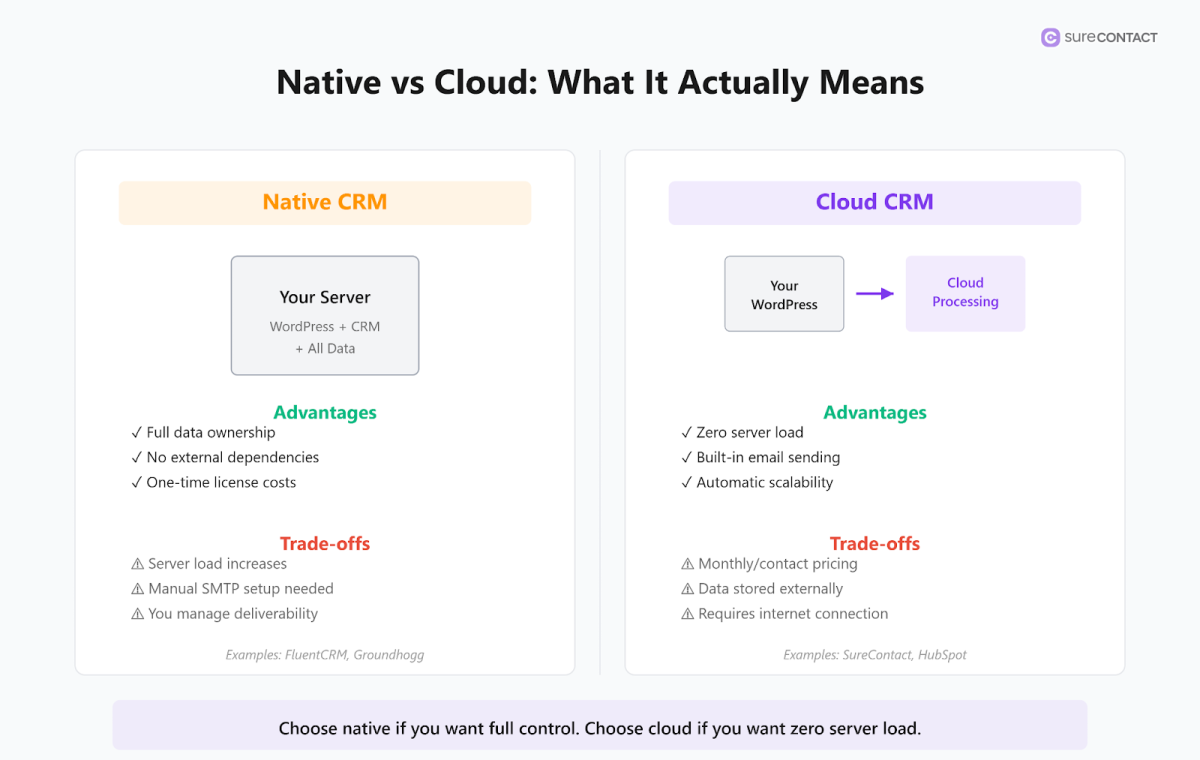
A native CRM stores all your data inside the WordPress database. A cloud CRM connects to WordPress but runs storage, sending, and automation off your server entirely.
With a native CRM like FluentCRM or Groundhogg, contact records, email logs, and automation history all live on your server, and you own the data completely.
The trade-off is that your hosting carries the load. Run a growing list with active automations on shared or mid-tier hosting and you will notice it.
Cron jobs back up, emails go out late, and page speeds drop.
With a cloud CRM like SureContact, your WordPress site captures the data and passes it to our servers. Storage, automation, and email sending all happen securely in the cloud, while the plugin keeps WordPress in sync. Your server does what it was built for, which is serving your site, not processing thousands of automated emails.
If you use managed hosting like Kinsta or WP Engine, this matters less. If you are on shared hosting or a lean VPS, it matters a lot.
The Best WordPress CRM Plugins in 2026
There are a number of CRMs that work with WordPress. Here are the best 7:
- SureContact
- FluentCRM
- HubSpot
- JetpackCRM
- Groundhogg
- WP ERP
- FunnelKit Automations
| Plugin | Free Plan | Starting Price | Best For | Data Location |
|---|---|---|---|---|
| SureContact | Yes (250 contacts) | $12.50/mo | WooCommerce stores, email marketing, automation | Cloud |
| FluentCRM | Yes (limited) | ~$90-129/yr | Data ownership, self-hosted control | Your server |
| HubSpot | Yes | ~$20/mo | Teams already in HubSpot ecosystem | Cloud |
| JetpackCRM | Yes | ~$199/yr | Freelancers, basic CRM and invoicing | Your server |
| Groundhogg | Yes (limited) | ~$20/mo | WordPress-native funnel automation | Your server |
| WP ERP | Yes | Module-based | HR, accounting, and basic CRM in one plugin | Your server |
| FunnelKit | Yes (limited) | ~$229/yr | WooCommerce cart recovery | Your server |
If you run a WooCommerce store and want email, automation, and CRM without touching your server – SureContact.
If you want everything on your own server and you’re comfortable with SMTP – FluentCRM.
If cart abandonment is your #1 problem – FunnelKit Automations.
If you just need organized contacts and invoices – JetpackCRM.
1. SureContact
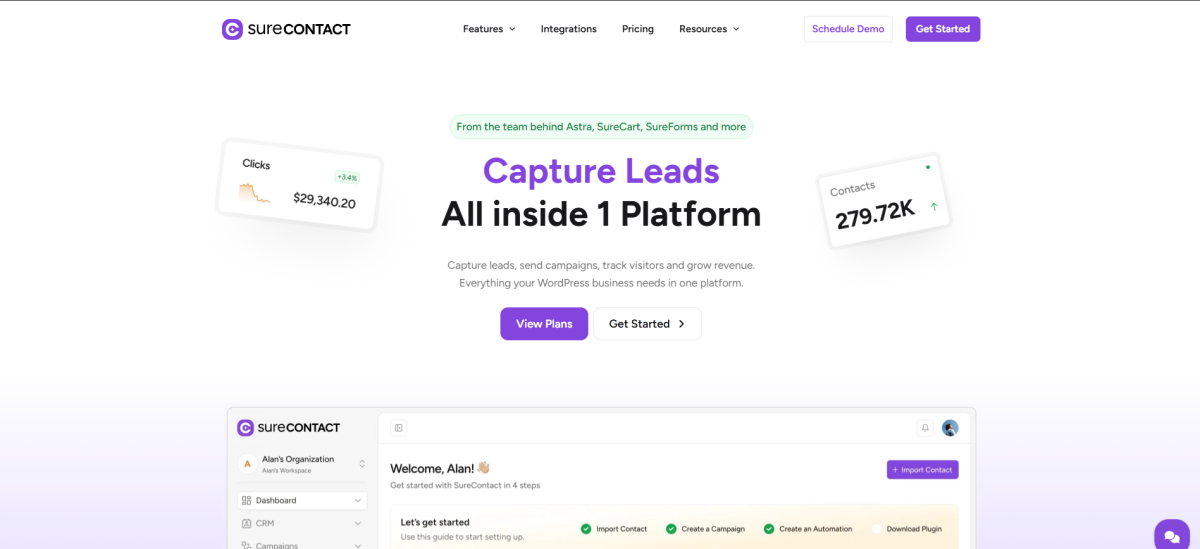
SureContact is a WordPress-first email marketing CRM. Install the free plugin, connect WooCommerce, SureCart, or your forms, and every order, form submission, or membership event automatically becomes a tagged contact ready for follow-up.
It runs in the cloud, keeping your server free while managing contacts, automations, and email sending.
Recent updates include email sequences and page-visit triggers, so you can build drip campaigns or trigger workflows when someone visits key pages like pricing or product pages.
SureContact’s plan structure is unique. The free-forever plan includes all core features for up to 250 contacts and 500 emails per month, without charging for the number of emails sent. Paid plans start at around $12.50 per month for smaller lists and scale with your contact count.
Early adopters also accessed lifetime deals for large contact tiers, up to roughly 100,000 contacts for a one-time fee.
Integration is simple and well-documented. The official plugin links WordPress and WooCommerce, and guides cover everything from syncing contacts to connecting forms. You can explore integrations at SureContact Integrations and full documentation at SureContact Docs.
This makes setup quick, even for stores with multiple data sources.
Free plan: 250 contacts, 500 emails per month
Paid: From $12.50/mo on annual billing, scaling with contact count
Best for: WooCommerce stores, membership sites, course creators, and email-first businesses on any hosting
2. FluentCRM
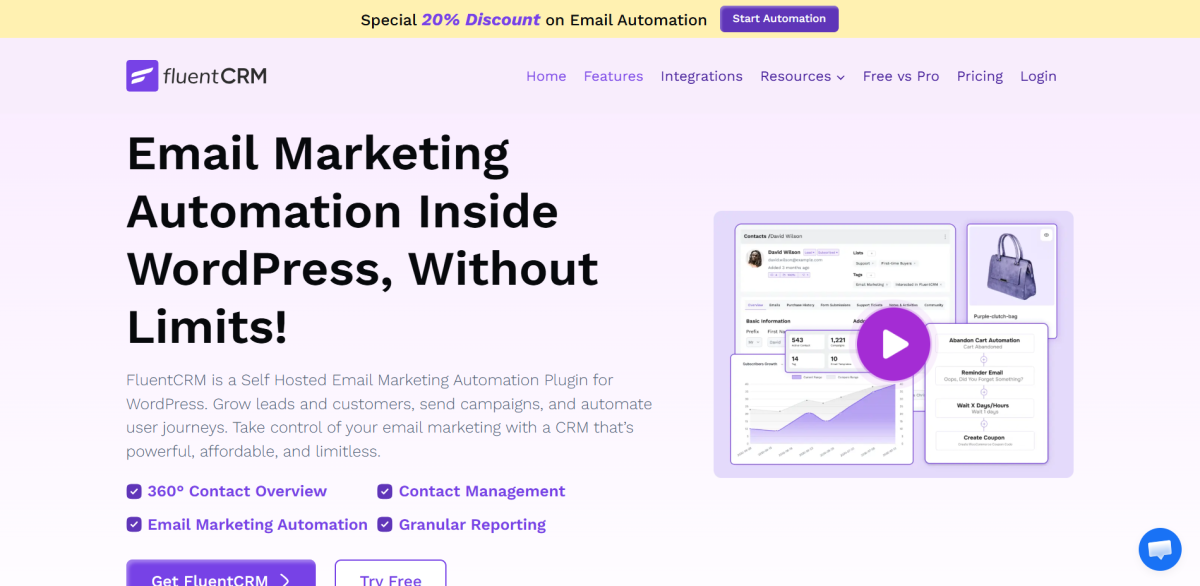
FluentCRM is a self-hosted WordPress CRM and email marketing plugin. Contact records, campaigns, automations, and reporting all live inside your WordPress dashboard, which gives you full data ownership.
The WooCommerce integration is solid and the automation builder covers most scenarios an online store or membership site needs.
FluentCRM’s pricing model is a flat annual fee rather than charging per contact or per email. Single-site Pro licenses are typically in the $90-$129 per year range depending on promotions. Renewal is typically around 50% of the initial purchase price, which brings the real three-year cost significantly lower than year-one pricing suggests.
The main consideration is server load. Because FluentCRM runs entirely on your WordPress host, high contact counts and busy automations can create delays or performance issues on shared or lower-tier hosting. You also need to connect an SMTP service separately, often via providers such as Amazon SES, which is inexpensive but adds a setup step and an additional vendor to manage.
Free plan: Yes, with limited features
Paid: Around $90-129/yr for a single-site Pro license, depending on discounts
Best for: Developers and technically confident site owners who prioritize data ownership and self-hosting
3. HubSpot for WordPress
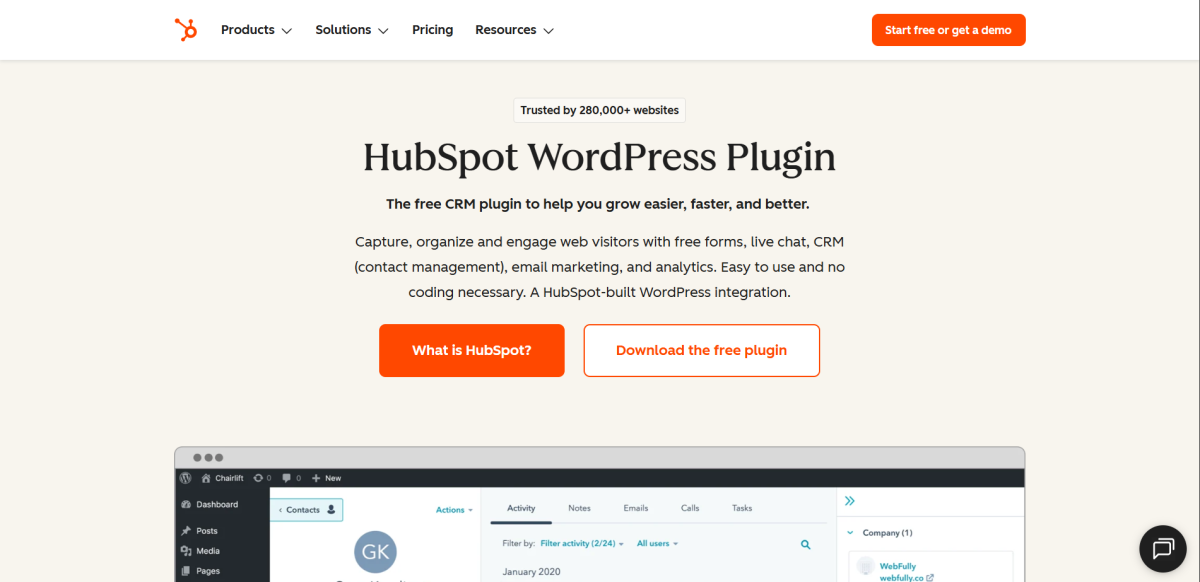
HubSpot’s WordPress plugin connects your site to the HubSpot cloud CRM and Marketing Hub. Leads from forms, live chat, and checkout flow directly into HubSpot’s database, where you can run email campaigns, nurture leads, and manage deals.
The free CRM tier is genuinely useful, with basic contact management, forms, and email tools included at no cost. The challenge comes when you grow into automation and advanced reporting.
HubSpot’s Starter plans begin around $20 per month per hub or around $50 per month for the combined CRM Suite Starter, and costs rise as you add contacts or paid seats.
HubSpot is built for teams with a sales function, not solo operators or small stores whose primary goal is email marketing. If you’re already inside the HubSpot ecosystem for sales or support, the WordPress plugin makes sense as a way to feed contacts into that system. If you’re starting fresh, there are more direct paths to the same email marketing outcome.
Free plan: Yes, full CRM free with limited contacts
Paid: Starter plans from ~$20/mo per hub or $50/mo for CRM Suite Starter
Best for: Teams already using HubSpot for sales or support who want WordPress feeding into that stack
4. JetpackCRM
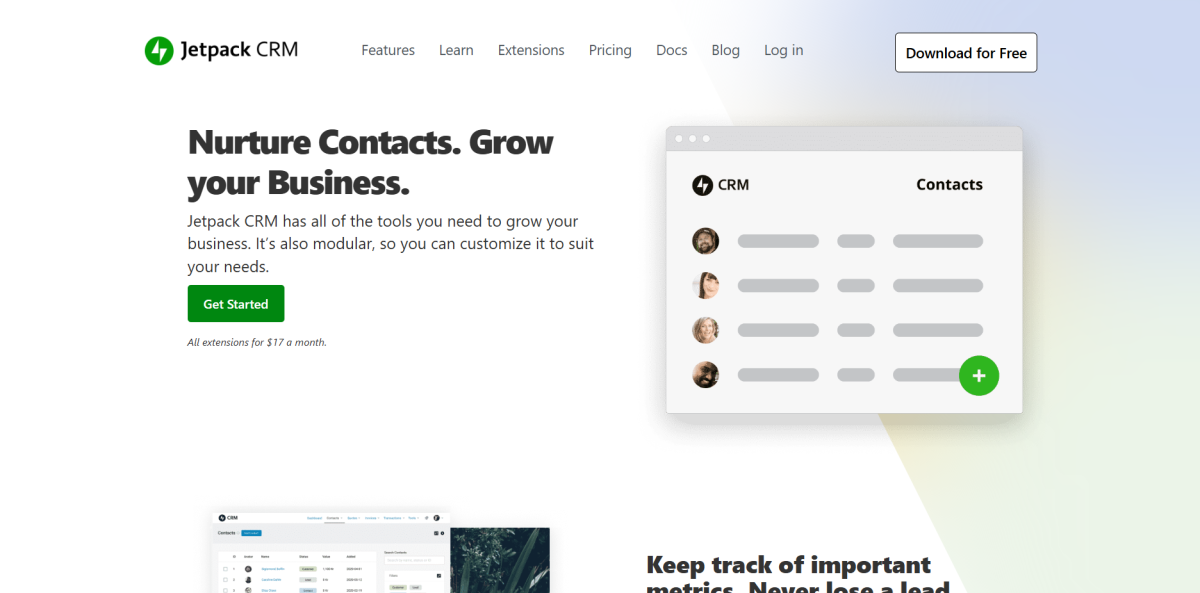
JetpackCRM is built by Automattic, the company behind WordPress.com. It handles contact records, notes, invoices, and transaction tracking inside WordPress, which makes it a straightforward choice for freelancers and small service businesses who want organized customer records without a full marketing stack.
The core CRM is free and JetpackCRM offers extension bundles for additional functionality. The Entrepreneur bundle is priced at about $199 per year, which works out to roughly $17 per month for access to the full extension library.
It’s not an email marketing tool in the same sense as SureContact or FluentCRM. Sequences, advanced automations, and deep campaign analytics are outside its scope. Know what you need before you install it.
Free plan: Yes
Paid: Entrepreneur bundle around $199/yr
Best for: Freelancers and service businesses that need basic CRM and invoicing more than complex email automation
5. Groundhogg
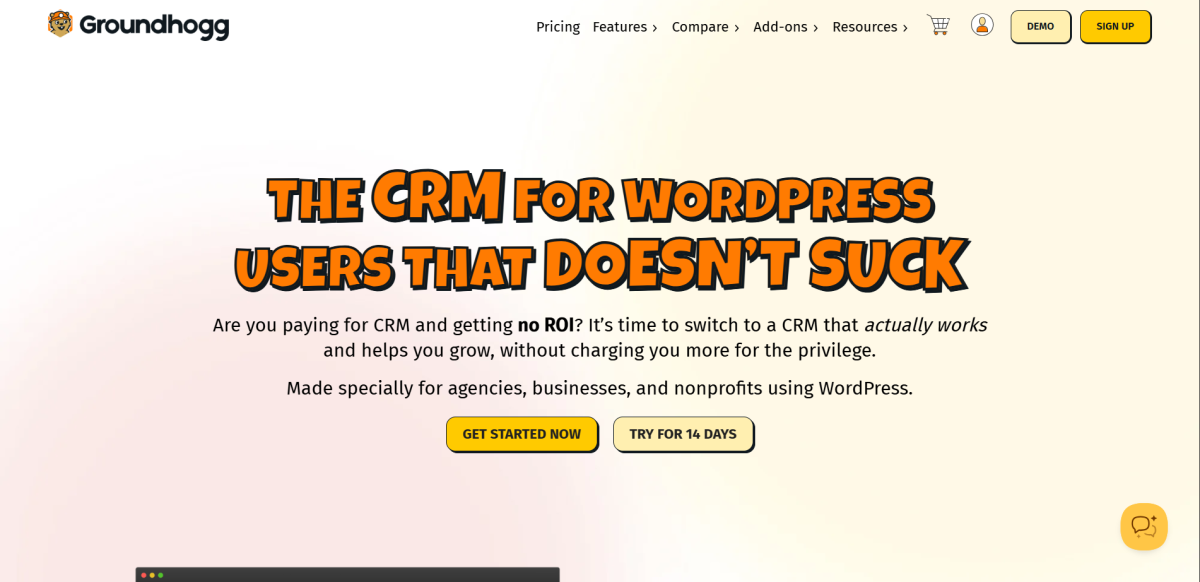
Groundhogg is a WordPress-native CRM and marketing automation plugin focused on building automated sales funnels. It runs entirely on your WordPress server and integrates with WooCommerce, LearnDash, membership plugins, and more.
Pricing is flat-rate and feature-based. Tiers such as Basic, Plus, Pro, and Agency start around $20 per month and run up to about $100 per month for Agency when billed annually. Because pricing doesn’t scale with contact count, Groundhogg can be cost-effective for large lists if your hosting can handle the load.
Groundhogg works best for technically capable site owners who are comfortable tuning server resources, managing SMTP, and configuring complex automations by hand. For most non-technical users, the setup takes more time than cloud tools.
Free plan: Yes, limited
Paid: Plans starting around $20/mo, with Pro and Agency tiers at higher flat rates
Best for: WordPress-native funnel automation for technically capable users who want self-hosted control
6. WP ERP
WP ERP combines CRM, HR, and accounting in a single WordPress plugin. For businesses that genuinely need all three inside WordPress, this consolidation has appeal.
The CRM module handles basic contact management and follow-up scheduling, but it is not as strong on email marketing features as the dedicated tools on this list. Pricing uses a mix of module and user-based fees, and costs can add up quickly for teams with several staff members.
WP ERP is worth evaluating only if the HR and accounting modules are real requirements. As a standalone CRM and email tool, it is weaker than the specialized options here.
Free plan: Yes, core features
Paid: Module and user-based pricing, with bundles for larger setups
Best for: Small businesses that need HR and accounting plus basic CRM in one WordPress plugin
7. FunnelKit Automations
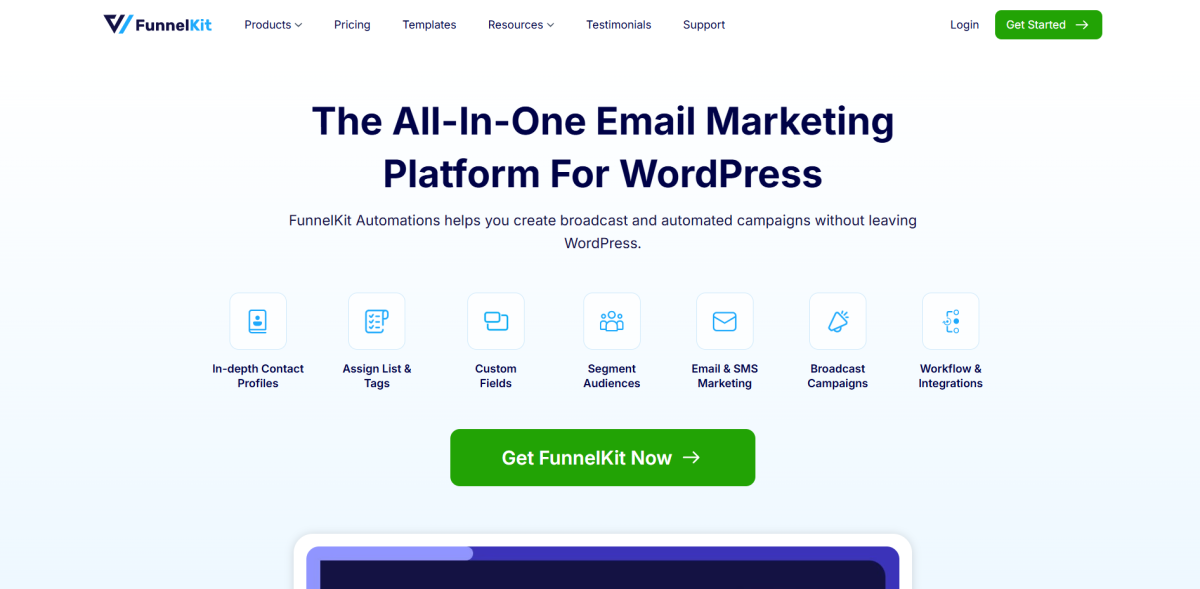
FunnelKit Automations is built specifically for WooCommerce automation. It focuses on abandoned cart recovery, post-purchase sequences, and win-back campaigns that tie directly into order data.
The plugin provides a visual workflow builder with WooCommerce triggers, conditional logic, and a built-in email designer tailored for store emails. FunnelKit Automations has both a limited free tier and Pro plans starting around $229 per year, aimed at stores doing meaningful revenue that want advanced automation and analytics.
It is not a full CRM in the broader sense. Contact management and analytics are more focused on WooCommerce behavior. You’ll likely pair it with separate tools if you need general email marketing and CRM across non-WooCommerce channels.
Free plan: Yes, limited
Paid: Pro from around $229/yr
Best for: WooCommerce stores where cart recovery and post-purchase automation are the main problems to solve
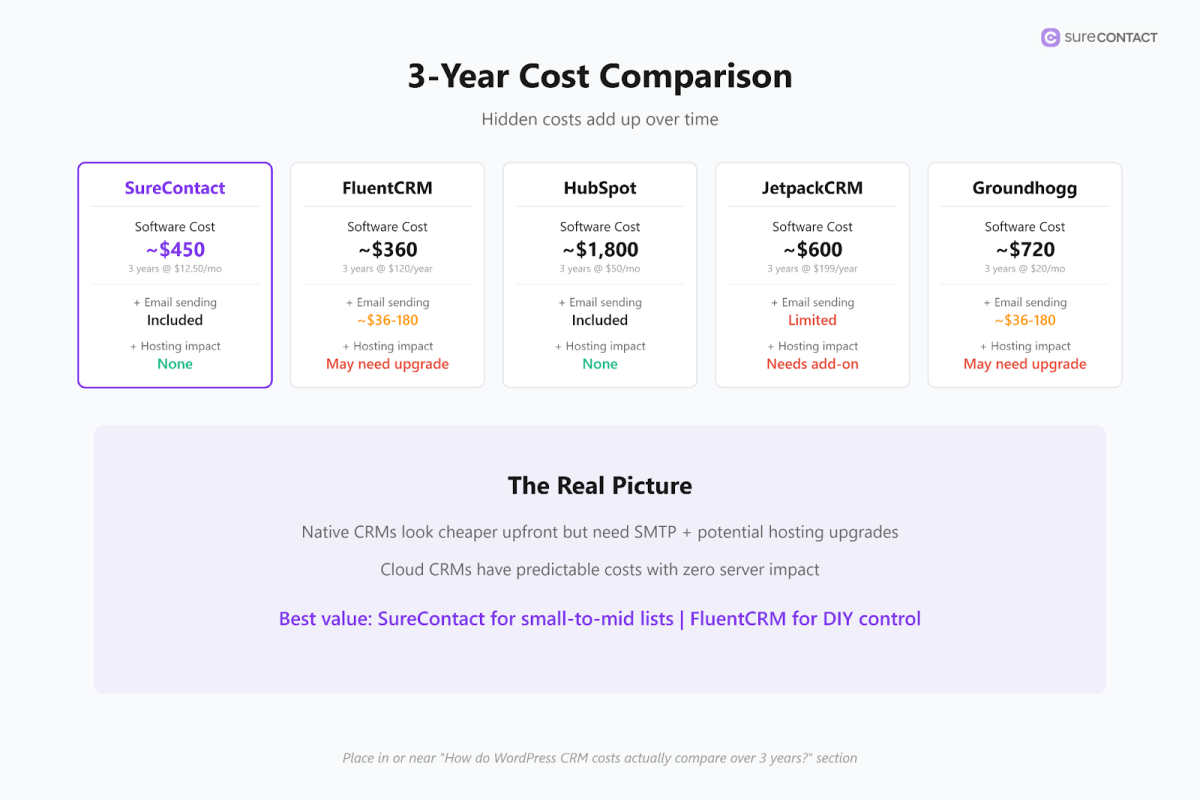
How Do WordPress CRM Costs Compare Over 3 Years?
Thanks to discounts and other incentives, year-one pricing can often be misleading. Here’s how representative costs stack up over three years based on current public pricing and typical sending setups.
| Tool | Pricing model | 3-year cost pattern | Email sending |
|---|---|---|---|
| SureContact | Free plan for 250 contacts. Paid plans by contact tier. From $12.50/mo on annual billing. | Scales with list size. Lifetime deals available for higher contact tiers. | Handled in the cloud. No per-email charge. Connect your own SMTP (e.g. Amazon SES) for additional sending. |
| FluentCRM | Flat annual license. No contact or email limits. Single-site Pro ~$90-129/yr. | Stable software cost. Add SMTP provider costs and allow for hosting upgrades as lists grow. | Requires external SMTP (e.g. Amazon SES at a few dollars per month even for large lists). |
| HubSpot Starter | Tiered by contacts and seats. Marketing Hub and CRM Suite Starter from ~$20-50/mo. | Rises as marketing contacts and user seats grow, especially moving into Professional tiers. | Email sending included within contact-based pricing and per-hub limits. |
| JetpackCRM | Free core CRM. Entrepreneur bundle ~$199/yr for full extension access. | Predictable flat pricing if you need the full extension set. | No built-in bulk sending. Requires external infrastructure. |
| Groundhogg | Flat monthly tiers from ~$20/mo up to ~$100/mo for Agency. | Predictable software cost. Hosting and SMTP costs rise with list size and send volume. | Requires external SMTP. Amazon SES commonly referenced in pricing guides. |
| WP ERP | Mix of module and user-based fees. | Costs add up quickly for teams with several staff members. | No built-in bulk email sending comparable to dedicated tools. |
| FunnelKit Automations | Limited free tier. Pro from ~$229/yr. | Flat software fee plus SMTP costs. | Uses WordPress-based sending or external SMTP, similar to other self-hosted tools. |
FluentCRM and Groundhogg look more affordable upfront because the license cost is flat and independent of contact count. Factor in SMTP expenses and the potential need for better hosting as your list and automations grow.
SureContact, as a SaaS tied to WordPress, moves that infrastructure load off your server at the trade-off of contact-based pricing and optional external SMTP configuration.
High-volume senders who are comfortable managing SMTP will find good value in self-hosted tools and lifetime deals. Businesses that prioritize simplicity and offloading infrastructure tend to lean toward cloud CRMs like SureContact or HubSpot despite higher per-contact pricing.
Best CRM for WooCommerce in 2026
The best CRM for WooCommerce in 2026 is SureContact. It connects natively to WooCommerce, syncs orders and customers automatically, and lets you segment by product category without Zapier or manual exports. FluentCRM is the next best option for stores that need data on their own server. FunnelKit is the right pick if cart recovery is your primary goal and you don’t need a full CRM.
SureContact and FluentCRM both have native WooCommerce integrations that connect directly to order data without a workaround. The feature that separates them is not the connection itself, it’s what you can do with the data after a purchase fires.
SureContact automatically syncs WooCommerce customers and orders to your workspace and lets you map customer fields so contact data stays aligned. The WooCommerce integration is documented at SureContact-WooCommerce Integration Doc , which walks through enabling the integration, field mapping, and bulk sync.
SureContact’s WooCommerce product category targeting, which shipped in March 2026 alongside other email automation updates, lets you segment customers by what they actually bought. A customer who buys running gear gets tagged differently than one who buys supplements. That segmentation feeds immediately into automations. No manual work, no exports, no Zapier in between.
FluentCRM handles WooCommerce well but takes more configuration to reach the same outcome and all processing runs on your server.
FunnelKit Automations is the better pick for cart abandonment, with a WooCommerce-first automation builder and abandoned cart flows. If cart recovery is your primary goal, it is worth evaluating. If you want a full CRM with email, automations, and WooCommerce segmentation in one place, SureContact is the cleaner setup.
For more detail on SureContact’s integrations, see the integrations page , which covers WooCommerce, SureCart, forms, and other connections.
Set Up a WooCommerce Post-Purchase Automation With SureContact
Here’s how to build a three-email post-purchase automation. It takes about 15 minutes and runs on its own after that.
- Go to Automations in your SureContact dashboard and click New Workflow.
- Name it clearly, for example: Post-Purchase: Running Gear.
- Set the trigger. Choose WooCommerce as the source and select Order Completed as the event.
- Add a condition: Product Category equals the category you want to target. This filters the automation so it only fires for the right purchases.
- Add a Send Email action. This is Email 1, sent immediately after purchase. Keep it short. Confirm the order, thank them, and give one useful tip for the product they just bought. No upsell yet.
- Add a Wait action set to 3 days, then add a second Send Email action. This is your value email, a how-to guide, setup tip, or product recommendation that fits what they bought.
- Add another Wait action set to 7 days, then add a third Send Email action. This is your re-engagement email: a review request, related product, or loyalty offer. By day 10 they have had the product long enough to have an opinion.
- Activate the workflow. Every customer who completes an order in that product category gets enrolled automatically from this point forward.
You can find the documentation for automations in the docs .
Campaign Monitor reports that automated emails generate about 320% more revenue than non-automated emails, which is why even a simple three-step sequence like this has outsized impact.
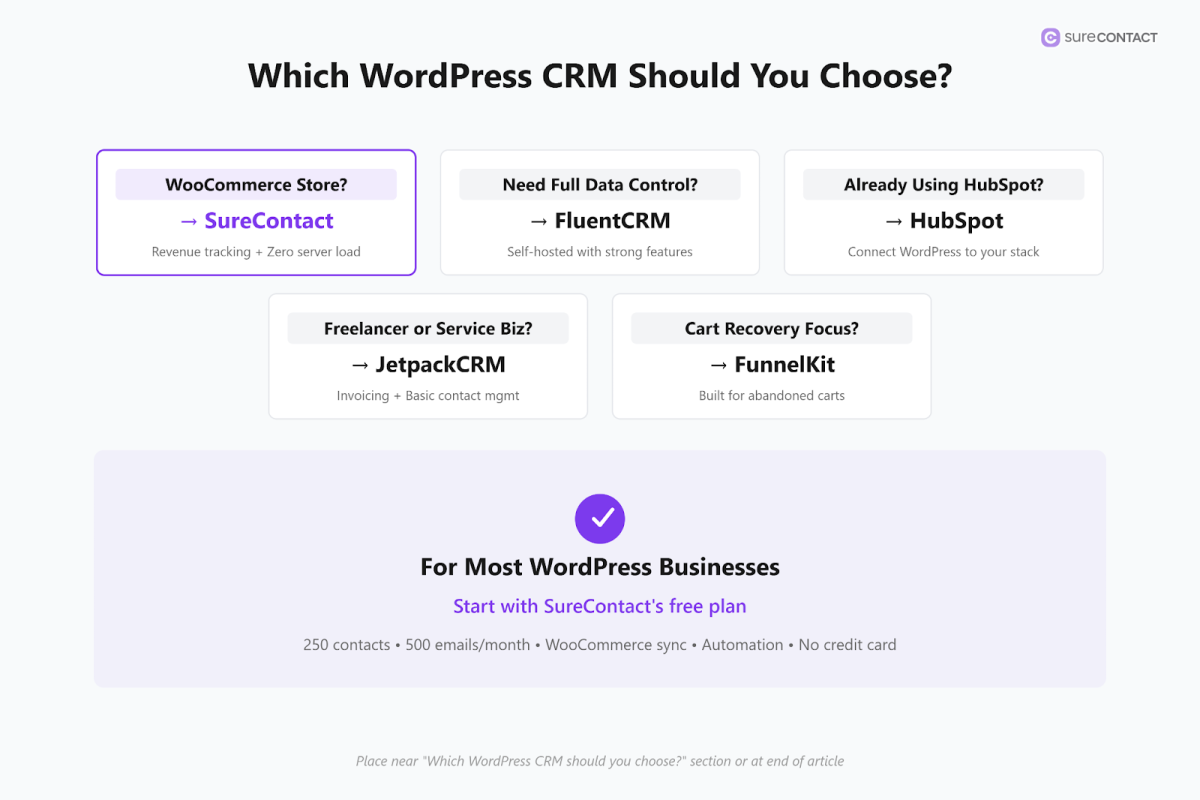
Which WordPress CRM Should You Choose?
Choose SureContact if you run a WooCommerce store, membership site, or any WordPress business where email marketing and automation are central. Install the free plugin, connect it to your store, and build your first automation. The free plan is enough to test syncing, automations, and basic campaigns before you commit to a paid plan. Sign up at .
Choose FluentCRM if you want your data on your own server, you are on strong hosting, and you’re comfortable with the technical setup and SMTP configuration. You get more control, but you also take on more responsibility for deliverability and performance.
Choose HubSpot if your team already lives inside HubSpot for sales or support and you want your WordPress site feeding contacts into that system automatically. In that situation, the WordPress plugin is just an on-ramp into a tool you have already standardized on.
Choose JetpackCRM if you’re a freelancer or service provider who needs organized contact records, quotes, and invoices more than sophisticated email automation.
Choose FunnelKit Automations if abandoned cart recovery and post-purchase WooCommerce journeys are your main problems and you want a tool built specifically for that.
Does WooCommerce have a built-in CRM?
WooCommerce does not include a CRM. It tracks orders and purchase history but does not manage contacts, send automated sequences, or handle full email marketing on its own.
In practice, that means a customer can buy once and then go quiet, and the only way you reach them again is a manual campaign sent to your whole list. Everyone gets the same email regardless of what they bought.
A connected CRM changes that. When SureContact is linked to WooCommerce through the official plugin, a customer who buys from a specific product category is synced as a contact, tagged appropriately, and enrolled in an automation automatically. They hear from you at the right time with the right message, without you doing anything after the initial setup. You can get started at .
What is the difference between a self-hosted and cloud WordPress CRM?
A self-hosted CRM like FluentCRM or Groundhogg stores all contact data, automation history, and email logs inside your WordPress database. You own the data completely, but your server carries the load. On shared hosting or a lean VPS, busy automations and large lists cause cron delays and slower page speeds.
A cloud CRM like SureContact keeps WordPress as the data capture layer while the plugin syncs your contacts and events yet runs storage, automation processing, and email sending on external servers. Your site stays fast regardless of list size or automation volume.
What is the cheapest WordPress CRM that includes email marketing?
SureContact’s free plan covers 250 contacts and 500 emails per month with all core features including automations, campaigns, forms, and WooCommerce sync. Paid plans start at $12.50/month on annual billing. That makes it the cheapest full-featured option that includes cloud email sending without a separate SMTP service.
FluentCRM is cheaper per contact at scale if you’re comfortable managing your own SMTP and hosting, but the upfront annual license ($90–$129/yr) plus SMTP costs need to be factored in.
Can I use a WordPress CRM without WooCommerce?
Yes. SureContact works standalone as you can import contacts via CSV, connect forms, and send campaigns without WooCommerce or even the WordPress plugin. The plugin adds native event triggers (orders, memberships, form submissions), but it is not required. If you are running a newsletter, a service business, or a SaaS on WordPress, SureContact works the same way.
How do you get started with a WordPress CRM today?
Picking the right tool is step one. The second step is connecting it to your site and building a single automation.
If you start with SureContact, install the free plugin from the WordPress repository, connect it to your WooCommerce store or form plugin as shown in the , and build the three-email post-purchase automation described above.
That one automation, running in the background, will do more for your repeat purchase rate than any manual campaign. Better segmentation, smarter sequences, and deeper analytics all follow once you see what a connected CRM actually does for your numbers.
The free plan covers 250 contacts and 500 emails a month, which is enough to connect your store, test your first automation, and see results before spending anything.
You can purchase your workspace and create your account from there, or go directly to the signup flow once you are ready.