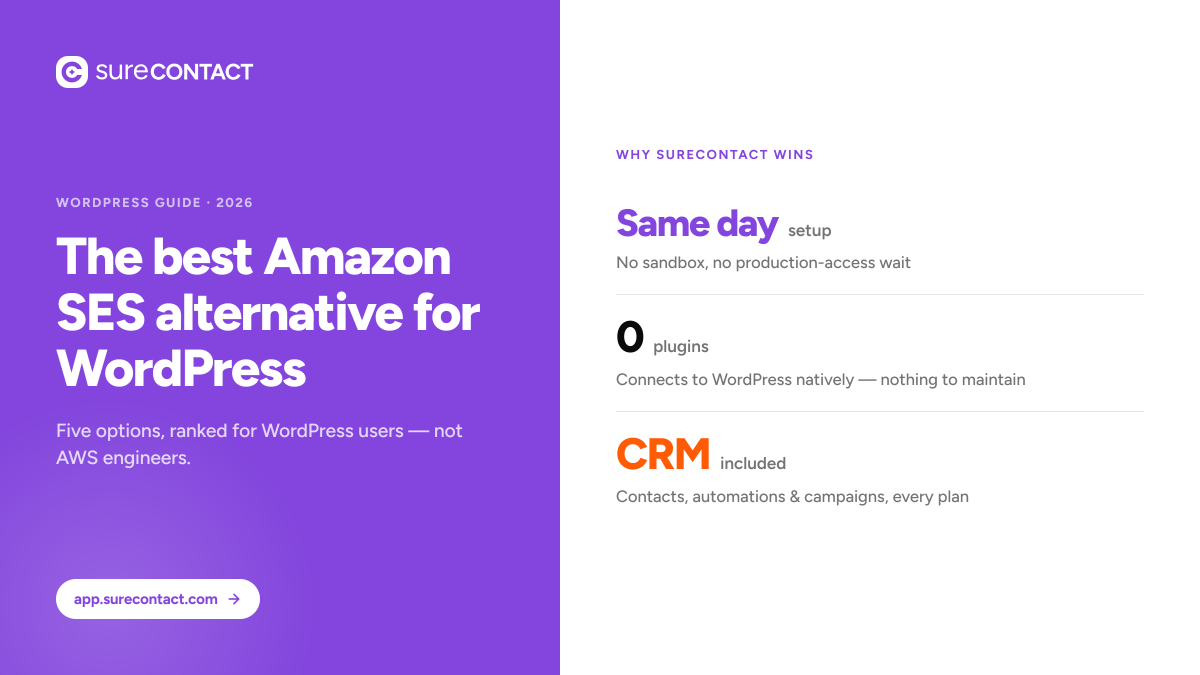
Quick answer: The best Amazon SES alternatives in 2026 are SureContact SMTP, Postmark, Mailgun, MailerSend, and Brevo. Amazon SES costs $0.10 per 1,000 emails but requires a sandbox approval process that can be denied without explanation, manual DNS and bounce configuration and no built-in dashboard at the base tier. For WordPress users specifically, SureContact SMTP removes all of that: paste two DNS records and you’re sending from your own domain the same day, with managed IPs, bounce handling, and the full CRM included.
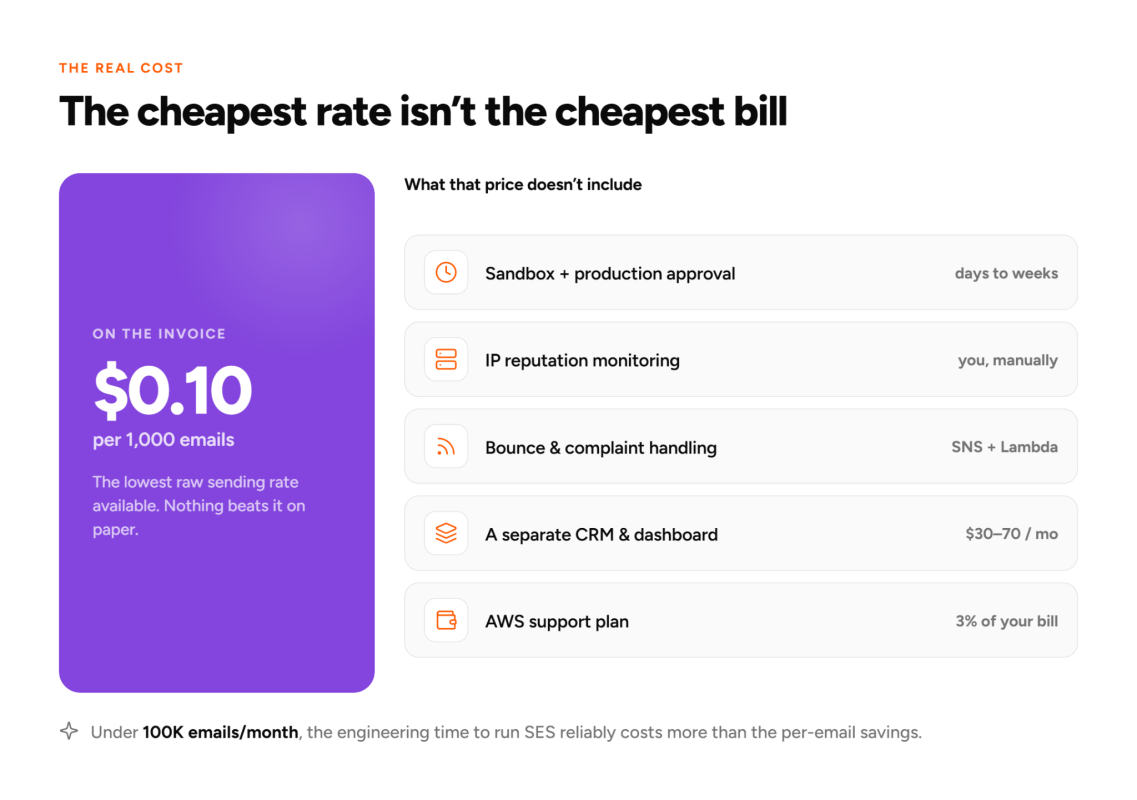
Amazon SES costs almost nothing per email. At $0.10 per thousand, it’s the cheapest delivery layer available. But the cost on the invoice is only part of what you actually pay.
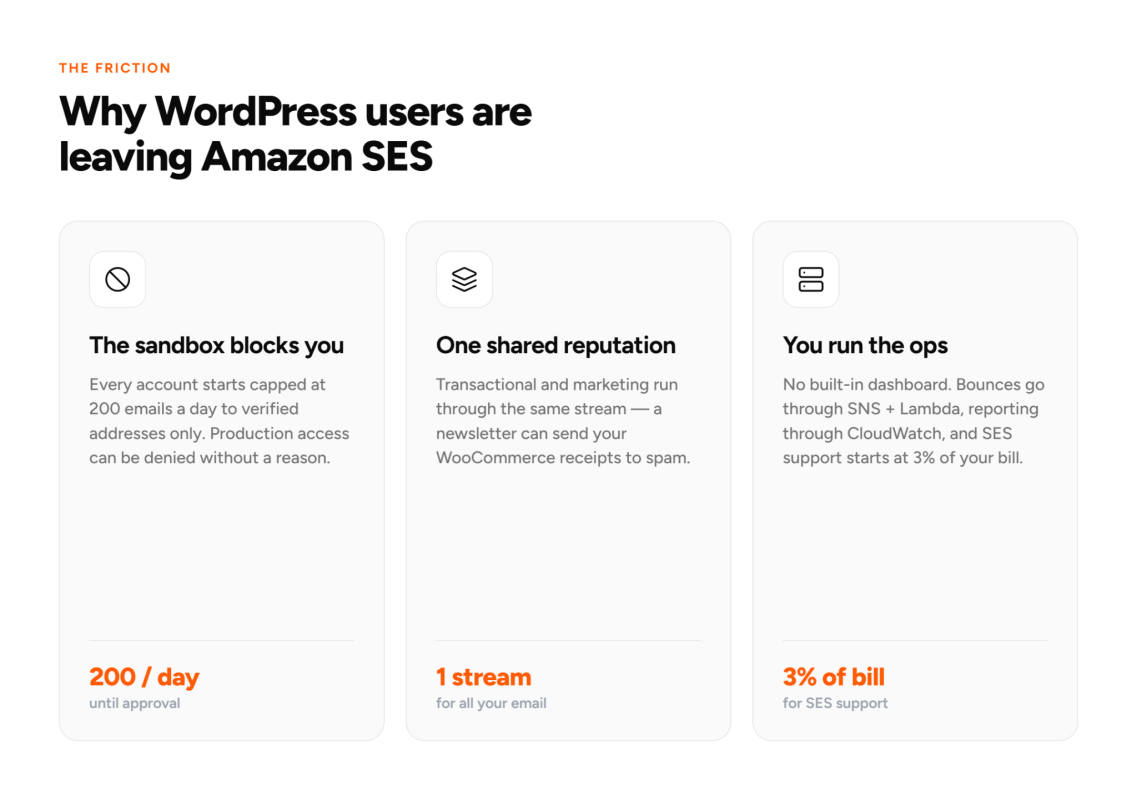
Every new SES account starts in a sandbox. You’re capped at 200 emails per day, can only send to verified addresses, and need to apply for production access before reaching real users. That application can be denied without a reason given, and there’s no support tier that influences the decision.
Once you’re in production, you manage everything yourself: IP reputation monitoring, bounce processing, complaint handling, DNS configuration, and a separate tool for contact management and campaigns. For a development team with engineering capacity to spare, that trade-off sometimes makes sense. For a WordPress site owner running WooCommerce, a blog, or a membership site, it usually doesn’t.
Why do WordPress users leave Amazon SES?
The sandbox is the most common first blocker, but it’s rarely the last.
Amazon SES doesn’t separate transactional and marketing email infrastructure. When both run through the same sending stream, a batch of promotional emails can affect the reputation of your transactional traffic. Your WooCommerce order confirmations can land in spam because of a newsletter you sent the day before. Providers with managed infrastructure handle this automatically. SES leaves it to you.
The platform has no built-in dashboard for managing contacts, viewing campaign performance, or handling unsubscribes. Delivery reporting runs through AWS CloudWatch, which requires its own setup and familiarity. Basic AWS support doesn’t cover SES-specific issues. A paid AWS support plan starts at 3% of your monthly AWS bill.
At the volumes most WordPress sites send (under 100,000 emails per month), the engineering time to operate SES reliably often costs more than the per-email savings. The alternatives below remove that overhead.
What to look for in an Amazon SES alternative
For WordPress users specifically, five things matter most:
- Setup time. How long from signup to sending a real email? If the path involves IAM policies, production access applications, or a third-party plugin install, the tool wasn’t designed with WordPress in mind.
- Managed deliverability. Does the provider handle IP reputation monitoring and bounce processing, or do you configure those yourself?
- Dashboard. Can you see delivery rates, bounce rates, open rates, and suppression lists without building your own reporting layer?
- WordPress compatibility. Native connection or third-party plugin required?
- Total cost. The listed per-email rate is rarely the full picture. Add tooling costs, support tier fees, and the value of setup time to get the real number.
The best Amazon SES alternatives in 2026
1. SureContact SMTP
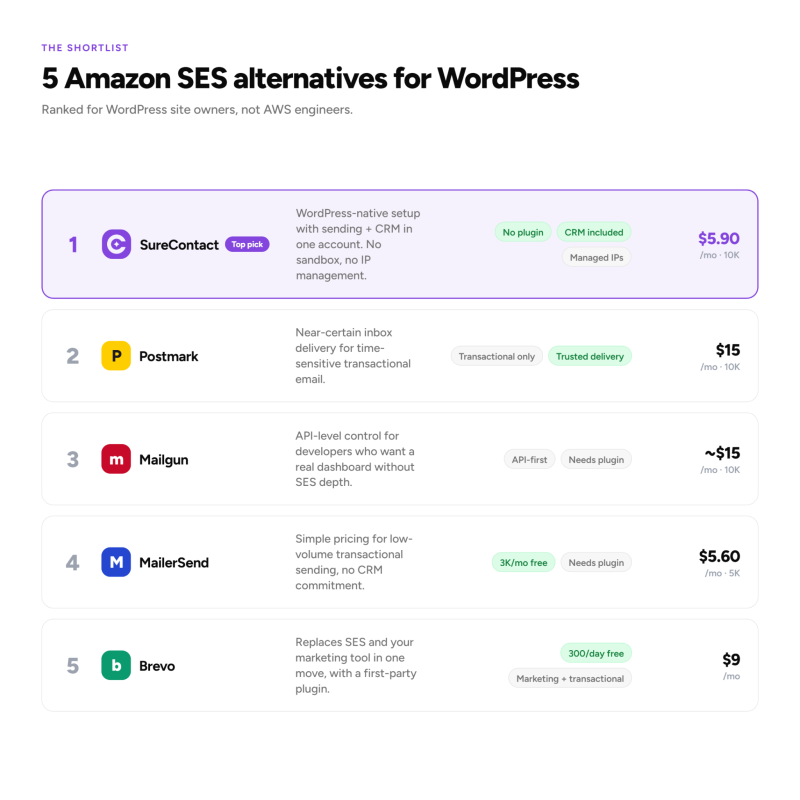
SureContact is a marketing CRM and SMTP relay service for WordPress, from the team behind Astra, SureCart, and OttoKit. The setup process is the direct opposite of SES: no sandbox, no production access request, no IAM configuration. You add your sending domain, paste the two DNS records SureContact generates for you into your domain host, and you’re sending the same day.
The SMTP runs on managed shared IPs monitored for reputation. Bounce and complaint handling is built in. Open and click tracking comes with every plan. Your contacts, campaigns, automations, and sending data all live in one dashboard. There’s no separate tool to pay for and no separate billing account to manage.
In May 2026, SureContact redesigned the SMTP setup experience with a two-tab layout separating external and internal sending providers, plus step-by-step onboarding for new users.
Pricing: $5.90/month for 10,000 emails, $29.90/month for 50,000, $49.90/month for 100,000. Non-expiring credit packs start at $29.50 for 50,000 emails. Every plan includes the full SureContact CRM: contacts, automations, sequences, campaigns, landing pages, and native forms.
Best for: WordPress and WooCommerce sites that want to replace SES with something that works the same day, without managing infrastructure or paying for a separate CRM.
2. Postmark
Postmark is a transactional email service with a strong track record for inbox delivery. It’s the most commonly recommended alternative for teams that need near-certain delivery on password resets, order confirmations, and account emails. Setup requires an SMTP plugin for WordPress (WP Mail SMTP or FluentSMTP) but is well-documented. Pricing starts at $15/month for 10,000 emails.
Postmark adds the dashboard and managed deliverability that SES leaves you to build yourself. One important constraint: Postmark handles transactional email only. Marketing campaigns and newsletters require a separate platform. For teams that want to keep transactional and marketing infrastructure separate, that’s a deliberate design choice that improves deliverability for both.
Best for: WordPress sites where transactional reliability is the sole requirement and campaigns are managed elsewhere.
3. Mailgun
Mailgun is a developer-focused email API service that sits closer to SES on the technical depth scale than the other options here. It gives you deep API control, flexible routing, and strong deliverability, with a better dashboard and simpler DNS setup than SES. For WordPress, you’ll need an SMTP plugin. Pricing starts at around $15/month for 10,000 emails.
If the reason you’re leaving SES is the sandbox and the lack of a dashboard rather than the depth of configuration, Mailgun is a natural next step. If you’re looking for something you can operate without any configuration work, one of the other options on this list will be a better fit.
Best for: Developers running WordPress who want more control and a real dashboard, but still prefer API-level access over a fully managed tool.
4. MailerSend
MailerSend is a newer transactional email service with clean pricing and a good interface for non-developers. The free tier covers 3,000 emails per month permanently. Paid plans start at $5.60/month for 5,000 emails, competitive with SES on unit cost while including a real dashboard and managed deliverability. WordPress connection requires a standard SMTP plugin.
Best for: WordPress sites with low-volume transactional sending that want a clean, simple alternative to SES without committing to a full CRM platform.
5. Brevo
Brevo (formerly Sendinblue) covers both transactional and marketing email on one platform with a first-party WordPress plugin. The free plan offers 300 emails per day including transactional sends. Paid plans start at $9/month. Brevo includes a campaign builder, automation workflows, and contact management, making it a genuine replacement for SES plus whatever marketing tool you’re currently running alongside it.
Best for: WordPress sites that want to replace both SES and their email marketing tool in a single move.
SureContact SMTP vs Amazon SES: what’s different day to day?
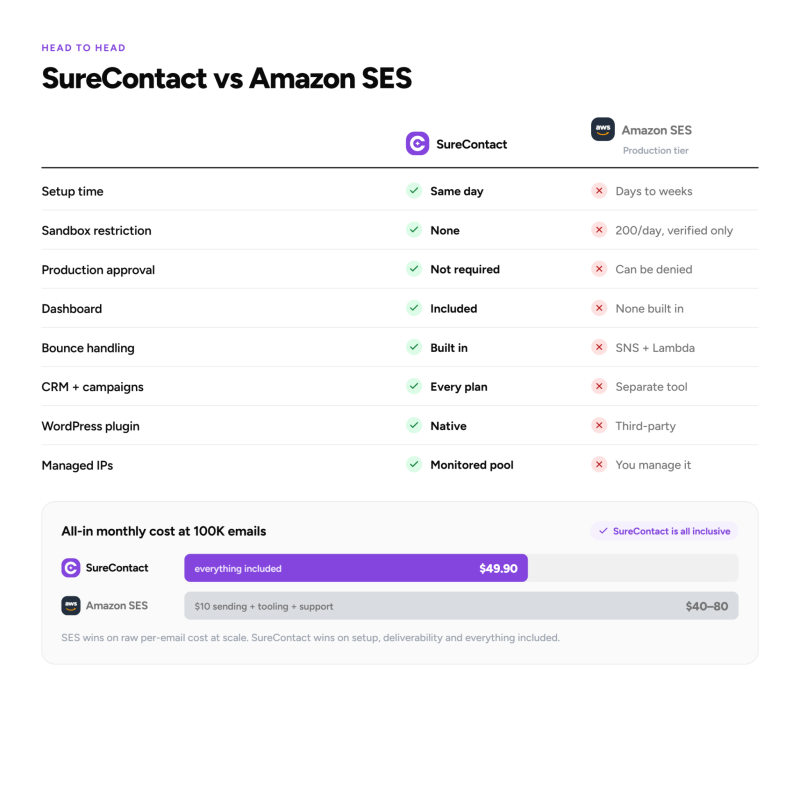
SES wins on raw per-email cost at scale. SureContact wins on everything that determines whether your emails land reliably and whether your team can operate sending without engineering support.
| SureContact SMTP | Amazon SES | |
|---|---|---|
| Setup time | Same day — paste 2 DNS records | Days to weeks (sandbox + approval) |
| Sandbox restriction | None | 200 emails/day, verified addresses only |
| Production approval | Not required | Required. Can be denied without reason |
| Cost at 10K emails/mo | $5.90/mo (managed, CRM included) | $1.00/mo (no dashboard, no support) |
| Cost at 100K emails/mo | $49.90/mo (all-in) | $10 sending + $30-70/mo tooling |
| Dashboard | Included | None built in |
| Bounce handling | Built in | You configure via SNS + Lambda |
| CRM + campaigns | Included at all tiers | Separate tool needed |
| WordPress plugin needed | No | Yes (third-party) |
| Managed IPs | Yes — monitored shared pool | No — you manage reputation |
At volumes under 300,000 emails per month, the engineering time to operate SES reliably typically outweighs the unit-cost savings. Above that volume, with dedicated engineering capacity, SES becomes worth the operational overhead.
How do you migrate from Amazon SES?
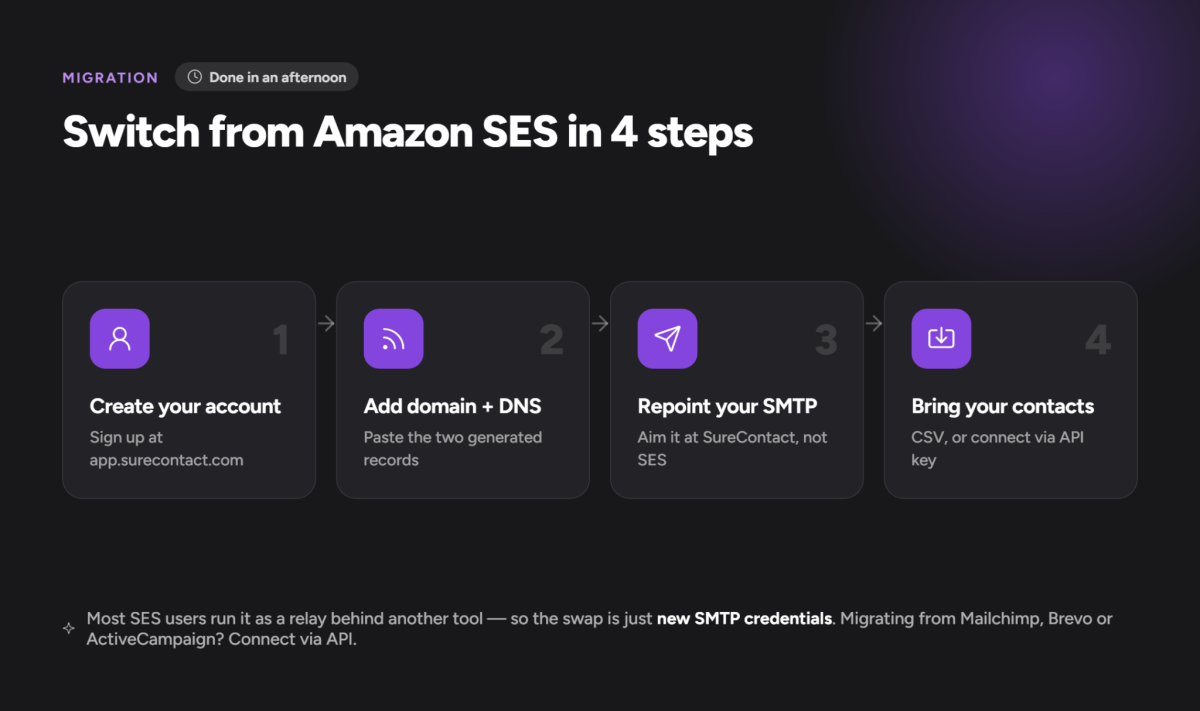
Most SES users run it as a relay behind another tool. Migration to SureContact follows four steps:
- Create a SureContact account at app.surecontact.com
- Add your sending domain and paste the two generated DNS records into your domain host
- Once verified, update your SMTP settings to point at SureContact instead of SES
- Import contacts via CSV, or connect directly via API key if migrating from Mailchimp, MailerLite, Brevo, ActiveCampaign, Kit, or Drip
Full migration guide: surecontact.com/docs
Which alternative fits your setup?
If setup simplicity matters and you want CRM and sending in one place, SureContact SMTP is the most direct replacement for SES on a WordPress site. You get everything SES makes you build yourself (dashboard, bounce handling, managed IPs) included in the monthly plan.
If you need pure transactional reliability with a provider that focuses on nothing else, Postmark is the most trusted option. If you want to replace SES and your email marketing tool in one move, Brevo covers both. Mailgun and MailerSend fit developers who want more control than SES offers, with a real dashboard included.
SES made sense when the engineering overhead was worth the per-email savings. At the volumes most WordPress sites send, the managed alternatives cost a few dollars more per month and remove hours of setup and ongoing maintenance.
Frequently asked questions
How long does Amazon SES sandbox approval take?
Amazon SES sandbox approval has no fixed timeline. Requests can be approved within 24 hours or denied without a reason given. Multiple resubmissions are common, and there’s no support tier that influences the decision. New accounts are capped at 200 emails per day and can only send to verified email addresses until production access is granted.
Is Amazon SES free?
The SES sandbox is free but limits you to 200 emails per day to verified addresses only. Production sending costs $0.10 per 1,000 emails. No dashboard, bounce handling UI, or support is included at the base tier. If you’re already using other AWS services, SES sends are free for the first 62,000 per month.
How do you set up Amazon SES on WordPress?
SES requires a third-party SMTP plugin (WP Mail SMTP or FluentSMTP), an AWS account, IAM credentials with SES permissions, and manual DNS records for SPF, DKIM, and DMARC. You also need to apply for production access before sending to unverified addresses. Most WordPress users find the process takes a few hours to a full day.
What is cheaper than Amazon SES?
Nothing. Amazon SES at $0.10 per 1,000 emails is the cheapest raw sending rate available. The more relevant question is total cost: at under 100,000 emails per month, managed alternatives like SureContact ($5.90/month for 10,000 emails, CRM included) or MailerSend (free for 3,000 emails/month) cost less overall once you factor in the tooling SES requires to operate.