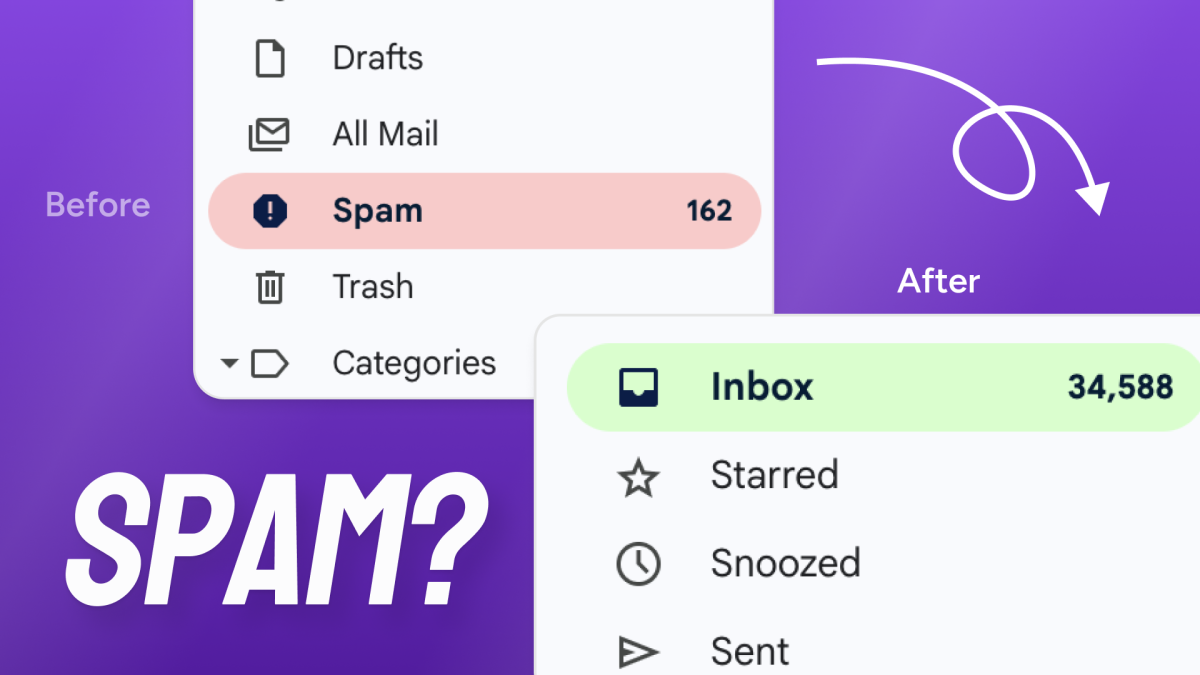
You have probably set this up before. A form plugin to collect subscribers. An SMTP plugin so emails actually send. A Mailchimp or ActiveCampaign account for the actual campaigns. Maybe a popup tool too. It works fine until WooCommerce updates, the sync breaks, and a customer emails you asking why they never got their order confirmation.
That setup is the standard advice. It is also the reason so many WordPress sites have email marketing that sort of works most of the time.
There is a simpler approach. This guide covers what it looks like, what to check when comparing tools, and one recommendation with the reasoning behind it.
One thing upfront: SureContact is built by Brainstorm Force, the company behind this site. The recommendation is not neutral, but the reasoning is laid out in full so you can judge it yourself. The checklist below applies to any tool you compare, including the alternatives covered at the end.
The quick answer: The best email marketing plugin for WordPress in 2026 is SureContact. It connects to WordPress natively, handles contacts and campaigns in one place, includes a built-in CRM, and starts free. You do not need a separate SMTP plugin, a separate form tool, or a separate CRM to make it work.

Why Does the “Stack of Plugins” Approach Break?
Most WordPress email marketing guides recommend installing three or four separate tools. Each one is good at its specific job. The problem is they do not stay connected reliably.
Your form plugin passes a new subscriber to Mailchimp on a delay. Your WooCommerce customer data stays in WooCommerce unless you pay for an integration addon. Your abandoned cart sequence fires on imported data, not on the live order event. One plugin updates and the sync between two others stops working.
You find out when a customer tells you they never got the email they were supposed to receive.
A native WordPress email platform reads WooCommerce orders, form submissions, and user registrations in real time. There is no sync layer between your site and your email tool. When a customer places an order, the automation fires immediately, not six hours later.

What Should You Look for in a WordPress Email Marketing Plugin?
Does it read WordPress events natively? Your email tool should know when a customer places an order, abandons a cart, or fills out a form. No CSV exports, no nightly sync. If it reads these events in real time, your timing stays accurate and your automations fire when they should.
Does automation come with the base plan? Multi-step automation with branching logic should not be locked behind an upgrade. Mailchimp removed automation from its free plan in 2023. ActiveCampaign limits Starter plan automations to five actions per workflow with no branching. If you have to upgrade to unlock the feature you actually need, the headline price is not the real price.
Is the CRM in the same place? When your contact records and your email campaigns live in separate tools, segmentation is always behind. You are building audiences from last week’s export. A CRM inside your email platform means every contact carries a full history of emails sent, links clicked, and orders placed, and you build segments from live data.
Can you control deliverability? Most platforms hide deliverability settings from you. SureContact shipped Gradual Send in May 2026. You set a starting send rate, a ramp-up window, and a bounce threshold. When bounce rates go above your limit, the campaign pauses automatically. That protects your domain reputation during a large send without you watching it manually.
How Does SureContact Compare to the Plugin Stack?

| Feature | Plugin Stack | SureContact |
|---|---|---|
| Subscriber Forms | Separate form plugin, synced on a delay | Built-in, fires automations on submit |
| Email Sending | SMTP plugin plus a sending service | Included on paid plans, or connect SES or SendGrid |
| CRM | Separate tool, segments built from exports | Built-in, segments from live contact data |
| WooCommerce Events | Paid integration addon, imported data | Read natively in real time |
| Automation | Often locked behind upgrades | Included on every plan, including free |
| Points of Failure | Three to four sync layers | One |
How Do You Set Up WordPress Email Marketing With SureContact?
Step 1: Install the plugin and connect your site. Search SureContact in the WordPress plugin directory, install it, and connect it to your workspace. WooCommerce customers, form submissions, and user registrations start flowing in right away.
Step 2: Set up email sending. SureContact handles delivery through its own infrastructure on paid plans. If you have an Amazon SES or SendGrid account, you can connect that instead. Either way, you do not need WP Mail SMTP running alongside it. The full setup guide is at surecontact.com/docs/smtp-in-surecontact/.
Step 3: Build an automation using a WordPress trigger. Open the automation builder and pick a trigger: WooCommerce order placed, form submitted, WordPress user registered, or contact tag added. Add your emails and set the timing. SureContact supports multi-day scheduling out of the box, so you can send follow-ups only on Mondays, Wednesdays, and Fridays without duplicating the workflow.
Step 4: Create a form and connect it to a list. SureContact’s built-in form builder creates opt-in forms that add contacts, apply tags, and fire automations the moment someone submits. No form plugin, no export step, no delay.
What About MailPoet, FluentCRM, and Mailchimp?
These come up in every comparison, and each one is the right answer for somebody. Here is an honest read on all three.
MailPoet lives entirely inside wp-admin and is the easiest of the three to start with. The free plan covers up to 500 subscribers with 5,000 sends per month through MailPoet’s own sending service, and the newsletter editor is genuinely pleasant to use. It is a strong fit for a blog or small site that wants post notifications and a simple newsletter without creating an account anywhere else. The ceiling shows up as the list grows. Automation depth is limited compared to a full CRM, there is no contact-level history beyond basic engagement, and paid pricing scales with subscriber count. If your list will stay under a thousand and your needs stop at newsletters, MailPoet is a fine choice.
FluentCRM is the closest competitor to SureContact and the strongest option on this list for some setups. It is fully self-hosted, so every contact record, automation, and campaign log stays in your own database. Pro costs $129 per year for a single site with unlimited contacts, which is hard to beat on price for a large list. The tradeoff is that your server does all the work. Campaign sends, automation processing, and tracking all run on your hosting, and you bring your own SMTP service for delivery. If you need full data ownership and your hosting can absorb the load, FluentCRM is the better pick. If you want sending infrastructure, deliverability controls, and processing handled off your server, that is the gap SureContact fills. A full breakdown is at FluentCRM vs SureContact.
Mailchimp is the most polished platform of the three and the only one that is not actually a WordPress plugin. It is a SaaS tool with a plugin that syncs data to it, which means WordPress events reach it on a delay rather than in real time. It remains a reasonable choice for a business that markets across many channels and does not live in WordPress. For a WordPress site, the costs add up in specific ways: automation was removed from the free plan in 2023, billing counts unsubscribed contacts, and WooCommerce data needs the sync layer this article opened with. You pay platform prices without getting platform-level WordPress integration.
Can You Manage SureContact With AI?
SureContact has 99 MCP tools. That means you can open a Claude conversation and say “create a campaign for WooCommerce customers who bought in the last 30 days but have not opened an email since.” The campaign gets built, the segment gets created, and you can pull a performance report without ever opening the dashboard.
It is worth a look if you run SureContact for multiple clients or manage campaigns at volume.
Common Questions
Is there a free plan? SureContact has a free plan with 250 active contacts, 500 sends per month, and full access to automations, forms, and the CRM. There is no forced branding on your emails and no 30-day support expiry.
How long does migration take? Most migrations from Mailchimp, ActiveCampaign, or FluentCRM take under 20 minutes. Contacts, tags, and lists import in one step. Automations need to be rebuilt in SureContact’s builder, but most standard sequences take 15 to 30 minutes to recreate.
What if I want to leave SureContact later? You can export your full contact list, tags, and campaign history at any time. There is no lock-in.
Does it work for WooCommerce stores specifically? Yes. The email marketing for WooCommerce guide covers the full setup, including abandoned cart sequences, post-purchase flows, and customer segmentation by order history.
Four plugins stitched together will always have four places where something can go wrong. If you want to see what the single-tool setup looks like in practice, the free plan is a reasonable place to start.
Start free at SureContact. No credit card required.