Every “best CRM” list reads the same after the third one: a table of logos, a row of checkmarks, and a winner that somehow matches whatever tool the site happens to sell. None of them ask the only question that actually determines whether a CRM works for you, which is what your site is set up to do and how you actually work, not which tool has the longest feature list.
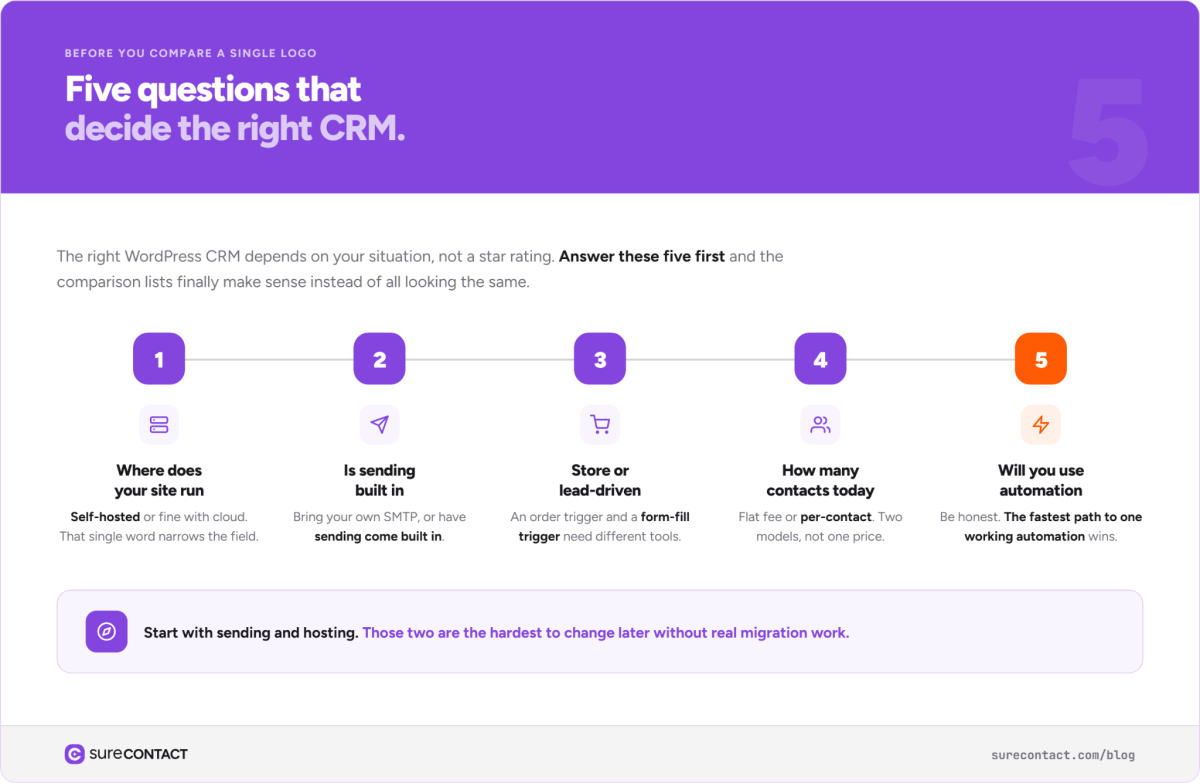
Quick answer: The right WordPress CRM depends on five things about your situation, not the tool’s star rating: where your site is hosted, whether you need built-in email sending, whether your business runs through WooCommerce or through inquiries and leads, how many contacts you actually have today, and whether you’ll realistically use automation or just store names. Answer those first, and the comparison lists actually make sense instead of all looking the same.
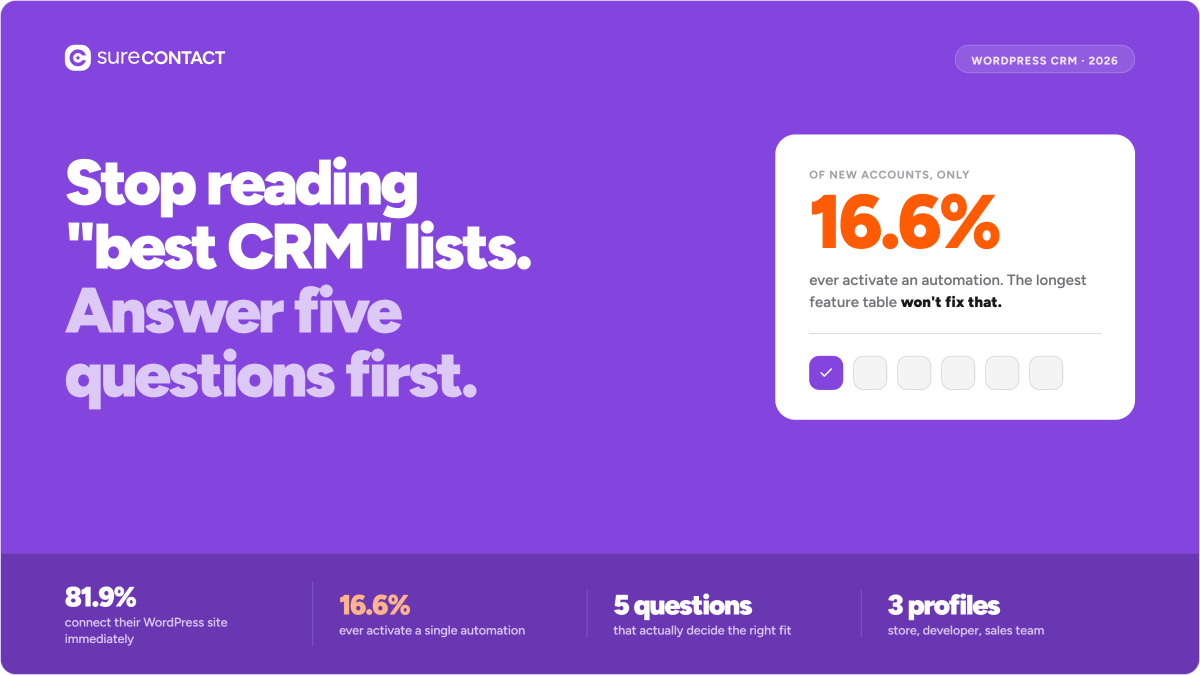
Here’s why that order matters more than it sounds like it should: looking at CRM signup data, 81.9% of new accounts connect to their WordPress site immediately. Only 16.6% ever activate an automation. Most people don’t get stuck picking a CRM, they pick one, connect it, and then never use the part that was supposed to save them time. The tool with the best feature table isn’t the one that fixes that. The tool that matches how you’ll actually work is.
Where Does Your Site Actually Run
Self-hosted WordPress and cloud-connected WordPress aren’t the same starting point. If your CRM needs to live entirely inside your own server and database, you’re choosing from a smaller, more technical set of tools, and you’re signing up to manage your own email deliverability too. If you’re fine with your CRM data living in the vendor’s cloud while your content stays on your server, the field opens up, and sending usually comes built in instead of bolted on afterward.
Neither approach is more correct. One trades convenience for control, the other trades control for one less thing to maintain. FluentCRM’s own homepage puts this front and center, “self-hosted” is the first thing it says about itself, because that single word is the whole reason someone picks it over a cloud tool. If that word doesn’t matter to you, the rest of FluentCRM’s pitch probably doesn’t either.
Do You Need Sending Built In, or Do You Already Have That Solved
This is the question most comparison charts bury in a footnote. Some WordPress CRMs expect you to connect your own SMTP service separately, which is fine if you already have one and know how to keep it healthy. Others build sending directly into the CRM, so contacts and campaigns live in the same place email actually goes out from. SureContact took the second path, shipping its own sending domain feature this year and refining it into a dedicated internal setup shortly after, specifically so this isn’t a separate decision you have to make.
If you already run a dedicated email service you’re happy with, this question matters less. If you don’t, it’s worth deciding before you pick a CRM, not after you discover the one you chose assuming you’d bring your own.
Is Your Business WooCommerce-Driven, or Lead-Driven
A store and a lead-generation site need different things from a CRM, even though both technically “need a CRM.” A store wants every order automatically tagged and followed up on. A lead-driven site wants every form submission and inquiry routed and nurtured before anyone talks to a human. Some tools are built WooCommerce-first, with the storefront’s events as the native trigger for everything else. Others are built form-and-funnel-first, with commerce as an add-on.
Picking a WooCommerce-first tool for a lead-gen business, or the reverse, doesn’t break anything outright, it just means fighting the tool’s defaults for as long as you use it. A store’s trigger is an order, the moment money changes hands, and everything downstream, receipts, review requests, reorder timing, hangs off that one event. A lead-gen site’s trigger is a form fill, before any money exists, and it expects a longer nurture sequence to come after it, not a receipt. A CRM built around one of those triggers treats the other as an afterthought.
How Many Contacts Do You Actually Have Today
Not how many you expect to have next year. Most WordPress CRM pricing scales with contact count, but not all of it, some tools charge a flat annual fee regardless of list size, others charge more as your list grows. That distinction matters more than the sticker price on either one: a flat-fee tool that looks pricier today can be cheaper in a year, and a cheap-looking contact-based tier can get expensive fast once your list actually grows. Check which model you’re looking at before comparing numbers that aren’t measuring the same thing. Start at your real contact count, confirm what the next tier of your specific pricing model actually costs, and upgrade when the number is real, not projected.
Will You Actually Use the Automation, or Just Store Contacts
This is the question the 16.6% activation number is really about. A CRM with fifty automation templates you never build is worth less than one with five templates you actually turn on. Before comparing feature counts, be honest about how much setup time you’re actually going to spend. If the answer is “not much,” the deciding factor isn’t which tool can do the most, it’s which tool gets you to one working automation the fastest. A prebuilt automation library, ready-made sequences for things like lead nurturing or post-purchase follow-up that you customize instead of build from scratch, closes more of that gap than a longer feature list does.
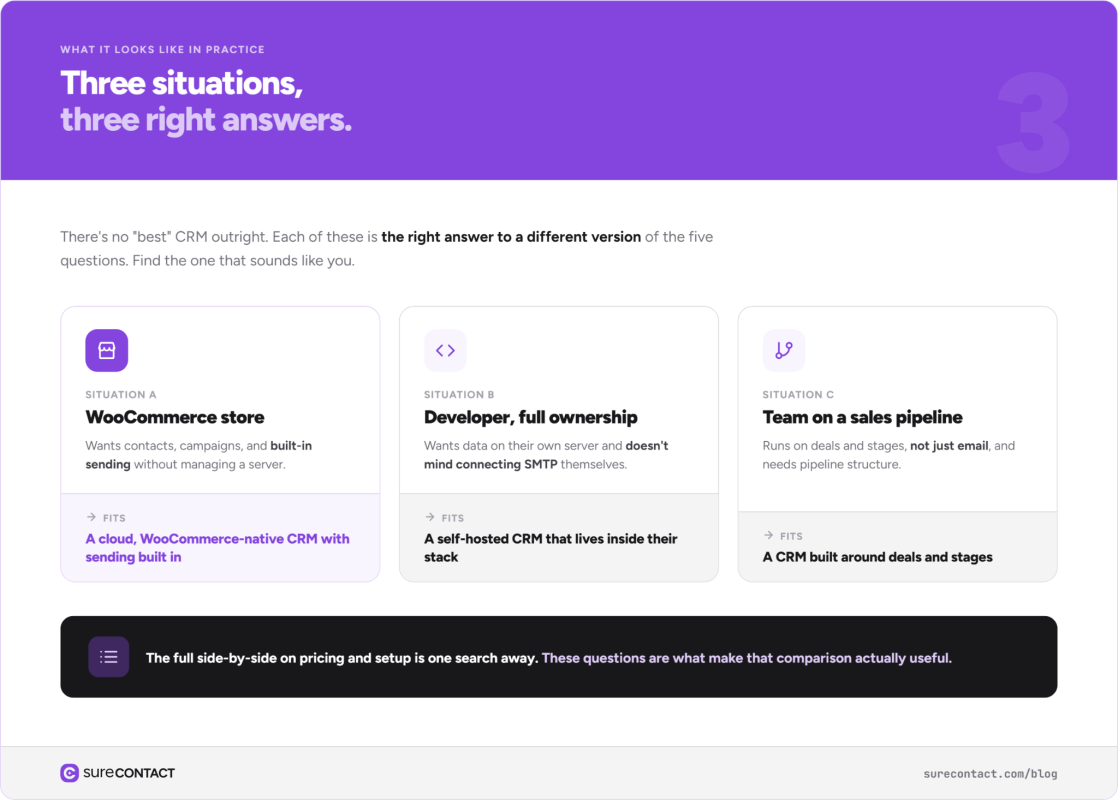
What This Looks Like in Practice
A WooCommerce store that wants contacts, campaigns, and built-in sending without managing a server fits a cloud-based, WooCommerce-native tool, SureContact is built for exactly that combination. A developer who wants full data ownership and doesn’t mind connecting their own SMTP fits a self-hosted option like FluentCRM instead. A team that already runs on a sales pipeline, not just email, fits something built around deals and stages, like HubSpot’s free CRM tier. None of these is “the best” outright. Each is the right answer to a different version of the five questions above.
For the full side-by-side on pricing, features, and setup time across all the major options, this WordPress CRM comparison list covers that directly. This piece is about answering the questions that make that comparison actually useful, not just long.
Frequently Asked Questions
I don’t know how many contacts I’ll have in six months. How do I plan for that?
Plan for now, not for six months from now. Almost every WordPress CRM lets you upgrade a plan in minutes when you actually hit a higher tier. Overpaying today for growth that hasn’t happened yet is a more common mistake than underpaying and upgrading later.
I’m already using spreadsheets or another CRM. How long does switching actually take?
It depends entirely on how contacts get into your current system. If they come in through WooCommerce orders or WordPress forms, a new CRM can usually start capturing new contacts immediately, with historical contacts imported separately on your own timeline. You don’t have to migrate everything before you can start using the new tool going forward.
Do I need to pick the CRM with the most integrations?
Only if you know you’ll use them. An integration you never connect to doesn’t help you, and a shorter list that covers WordPress, WooCommerce, and your actual form plugin natively usually matters more than a long list of integrations for tools you don’t run.
What if none of the five questions above have a clear answer yet?
Start with sending and hosting, those two are the hardest to change later without real migration work. Contact count and automation usage are easier to adjust after the fact, so it’s fine to make an initial guess there and correct the course in a few months.